
Create an item_list for applying discounts
Create an item_list for applying discounts
If you wish to create a list of items to be used as a base for applying discounts, you need to choose ITEM_LIST as the discount module.
If you wish to create a list of items to be used as a base for applying discounts, you will choose ITEM_LIST as the discount module. After this, you need to add the items to that list.
-
Search for Coupon Type and choose the related link.
A list of all existing coupon types is displayed. -
Click New to open a Coupon Type Card.
-
Populate the fields and options, and use one of the recommended discount coupon setups as reference.
-
Click Setup in the ribbon, followed by Setup Apply Discount.
The Coupon List Items is displayed. -
Click Add Items and use the available filters to find and add the items you wish to be discounted.
-
Set the priorities on the items in the list by clicking Set Priorities in the ribbon.
1 signifies the highest priority.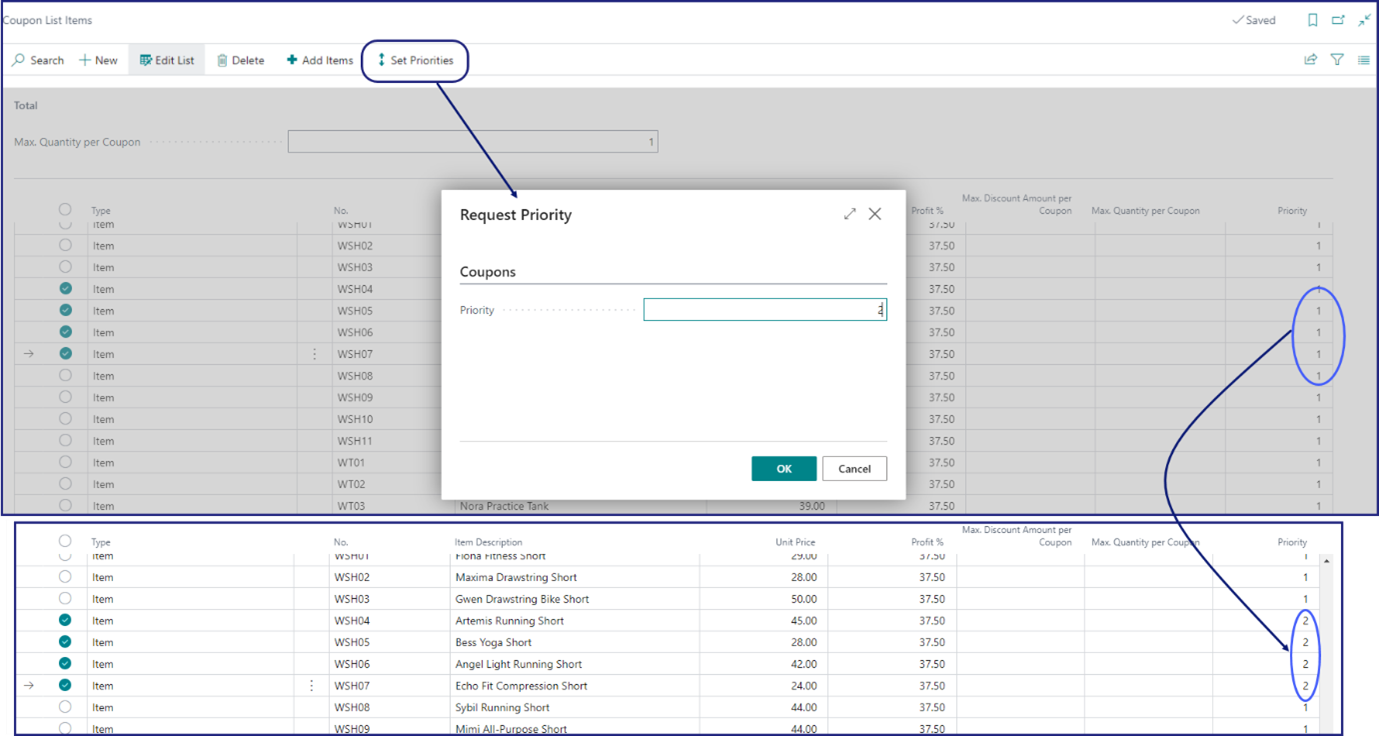
The list of items is generated, but you can modify it manually at any time.