Reconciliation document details
This article describes the available fields and options found in the Reconciliation Document Details administrative section:
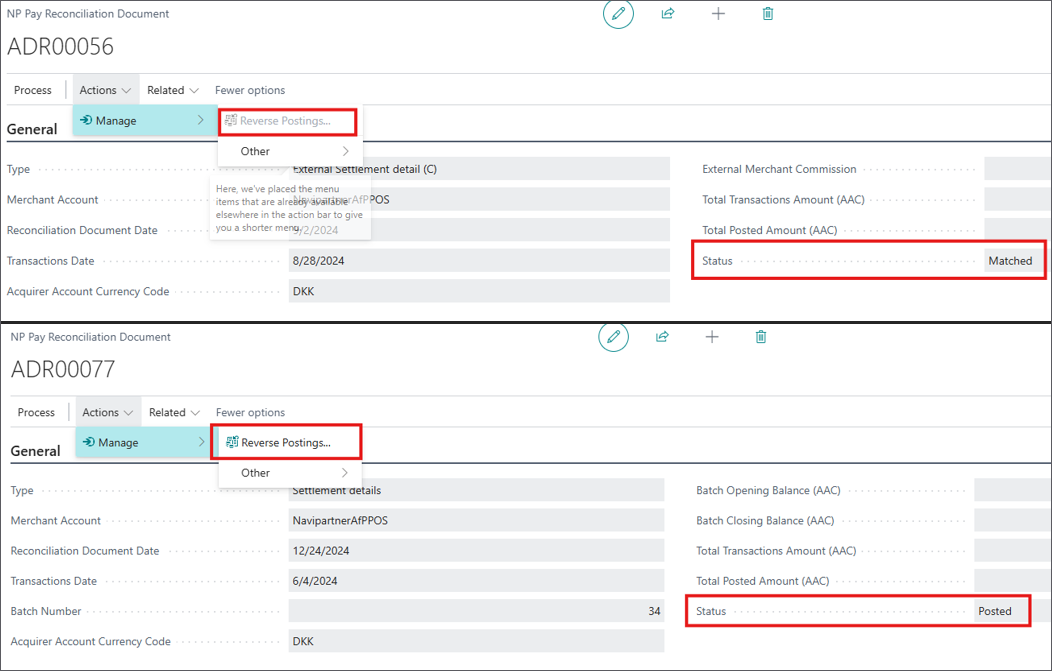
From the Reconciliation Document Details, you can recreate the document, match the available entries, and post them. If necessary it is also possible to Reverse Postings via a designated action. The action completely reverses all postings related to the selected reconciliation document.
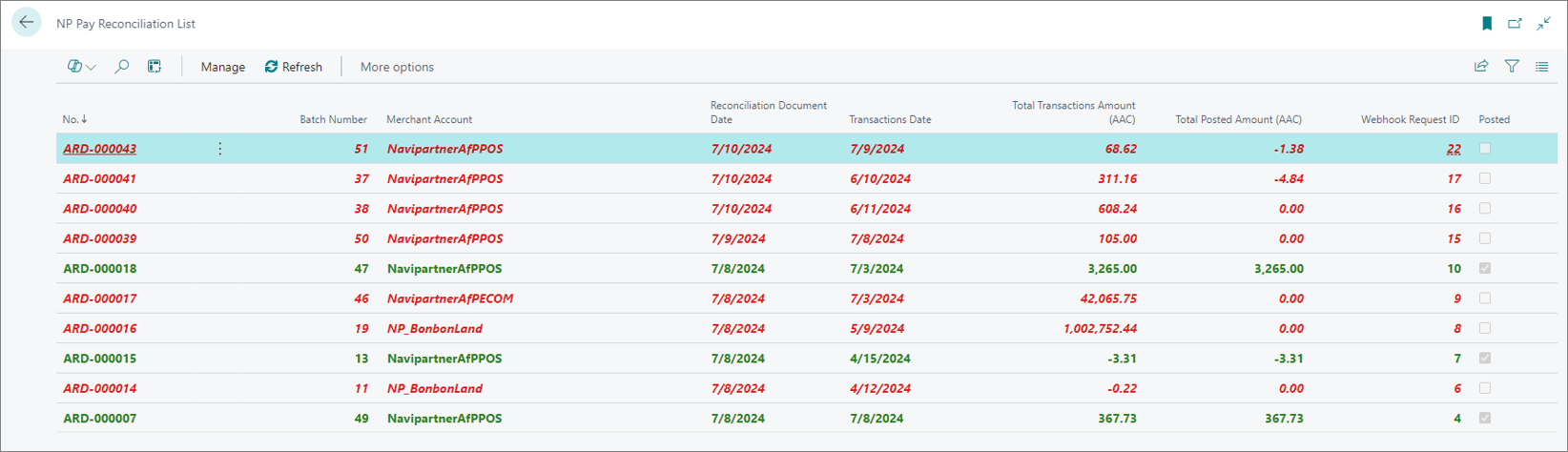
To access the full list of documents, you can navigate to the NP Pay Reconciliation List. This section contains information such as batch numbers, merchant account details, document dates, transaction dates, total transaction amounts, and the total posted accounts.
The NP Pay Reconciliation Line Relation page tracks all previous posting records. If a document is posted and reversed multiple times, the page will maintain records for each posting cycle. There’s a Reversed field, that indicates whether the last posting was reversed or not.
Reversing a posting toggles the Reconciled field of related Transaction Entries and resets their Reconciliation Date value. It is only enabled if the document is fully Posted.
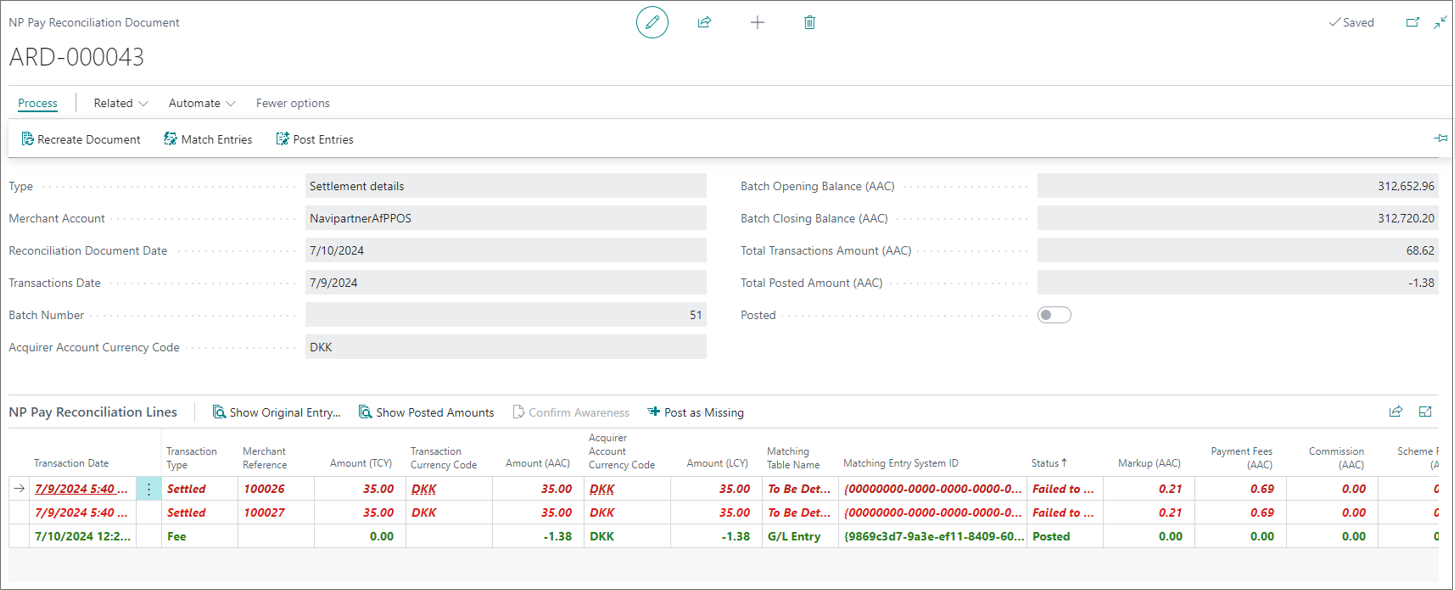
The lines marked in red signify failed statuses, whereas the lines marked in green indicate that posting has been conducted successfully. If the lines aren’t marked with any color, they are in the intermediate status.
The following actions are available in the NP Pay Reconciliation Lines:
Note: You can manually match a line if it has previously failed to match. This is done via the Matching Table Name column.
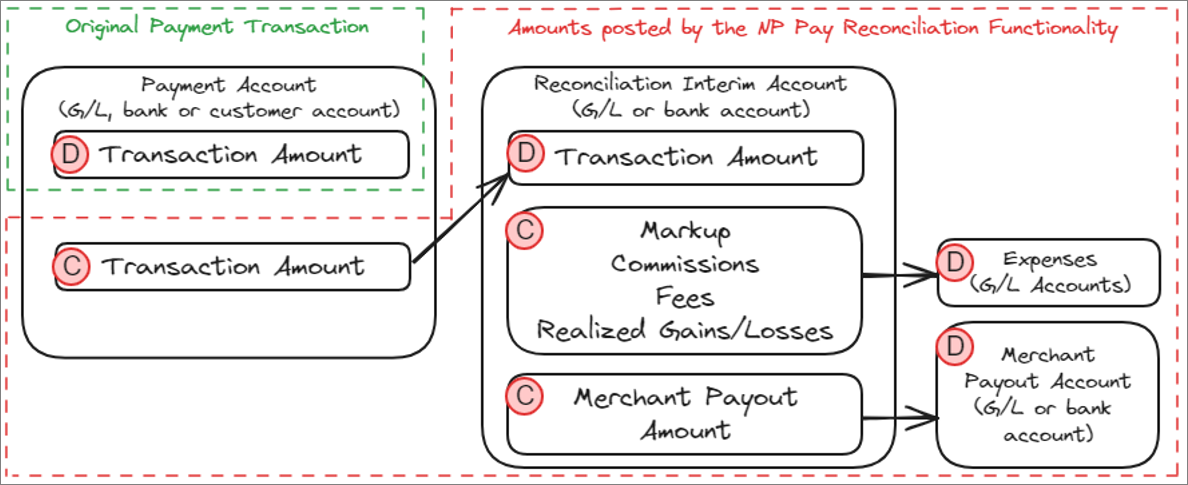
The reconciliation posting scheme is visually represented in the following image: