
Grouping
Flow Statuses
We can set different color-coding on the table statues, so that a head waiter of a floor manager can have a visual status on the seats in the restaurant. The following example illustrates how you can make the display more user-friendly by using different colors for the table statuses in the restaurant plan.
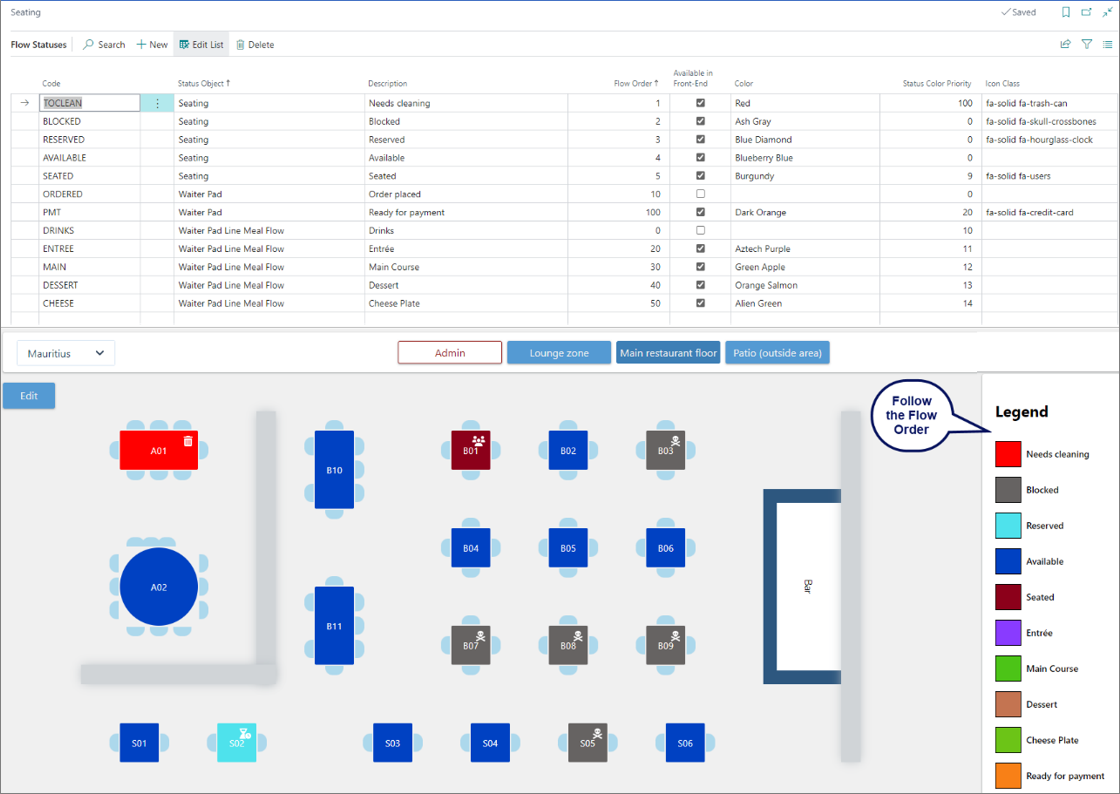
Note: The flow statuses for serving do not apply to the fast-food restaurant environment, since all meal components are packed and delivered in one go.
Serving Steps
From the Flow Statuses screen, you can add a new flow for the Serving Steps as the Waiter Pad Line Meal Flow if required. Then it will become available in the Select Flow Status - Serving Steps.
Note: DRINK doesn’t need to be set as a serving step as it can be ordered & served at any time.
Print/Prod Categories
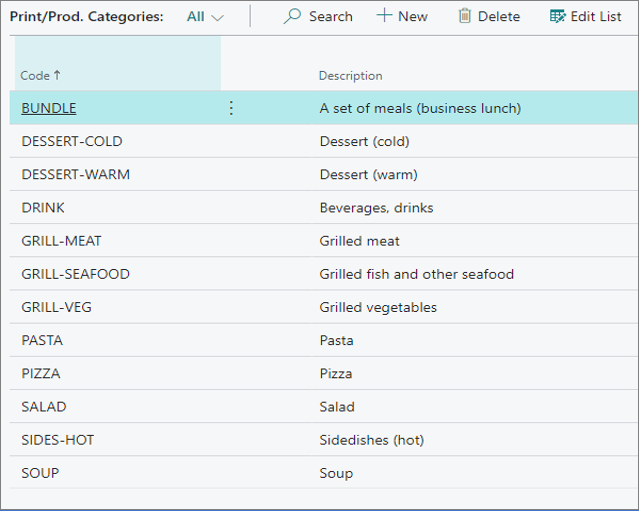
In the Print/Prod Categories you can predefine different categories that will be produced by the restaurant.
Item Routing Profiles
The routing profile defines how the meal (Item) is going to be served, and under which production category it will be grouped. When ordering a meal or an item, the system will map a route that the meal will be sent through to reach the production kitchen stations, and then the tables it was requested by.
Warning: When creating an item for the restaurant, it is important to configure the Rest. Item Routing Profile on the Item Card under the NPR Properties section
For more information about Restaurant item routing profiles, refer to the Restaurant item routing profiles.
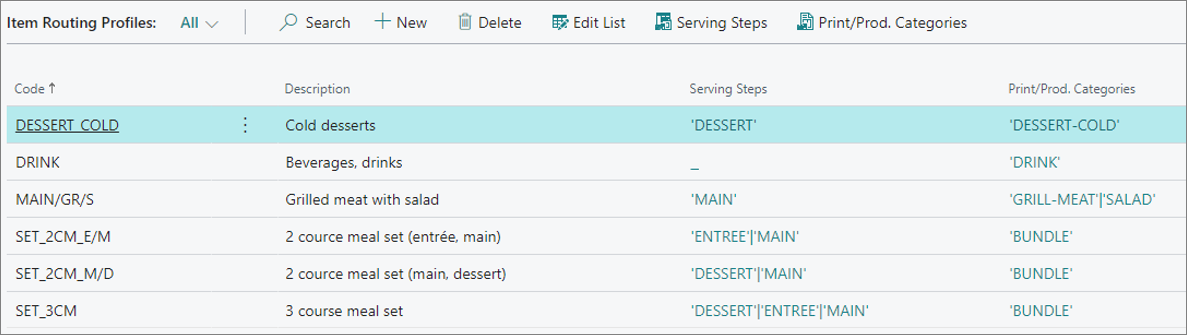
The Routing is a user-defined code, and a relevant naming convention component for the organization. In the example above, the MAIN/GR/S code is used for denoting a main course consisting of grilled meat & salad.
Service Flow Profiles
The Service Flow Profile is used for setting up how the system behaves throughout the service process. For example, you can define a Default Routine as indicated in the following example:
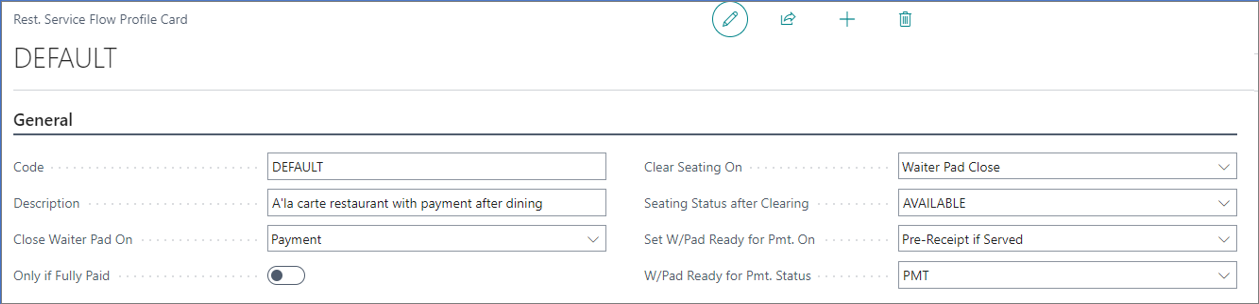
For more information about the fields and options, refer to the Service Flow Profiles reference guide.