
Inventory Setup
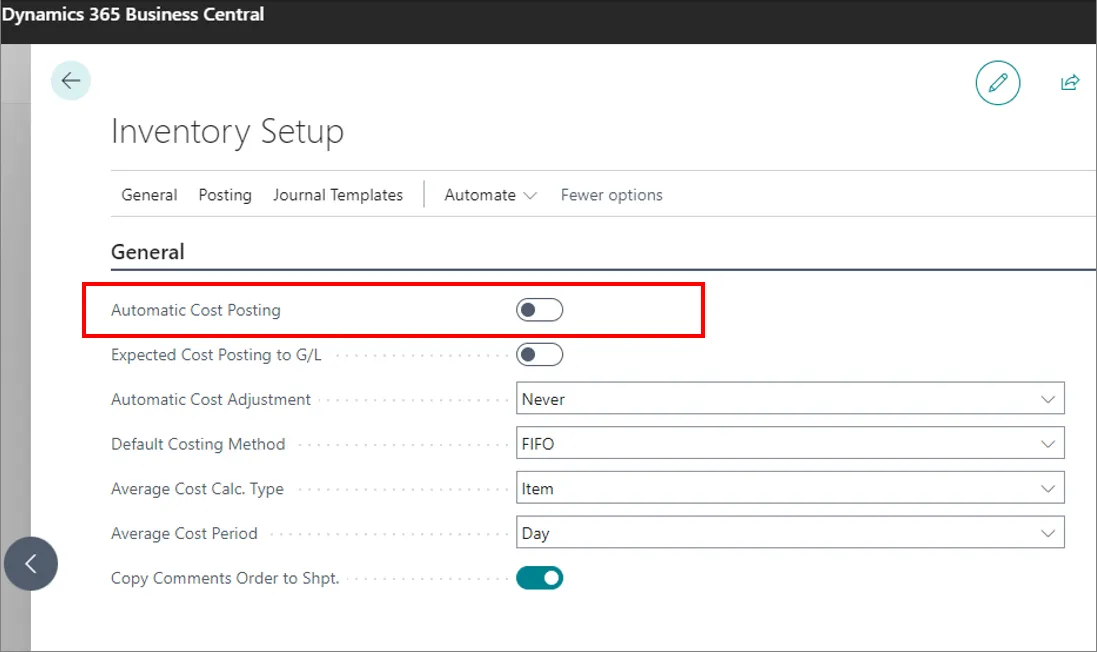
Automatic cost posting
Warning: It is very important that Automatic Cost Posting is NOT enabled in Inventory Setup.
Although Automatic Cost Posting is by default enabled in Business Central, the POS doesn’t support this particular configuration choice. NaviPartner creates a job with a specific purpose to run the cost posting instead.
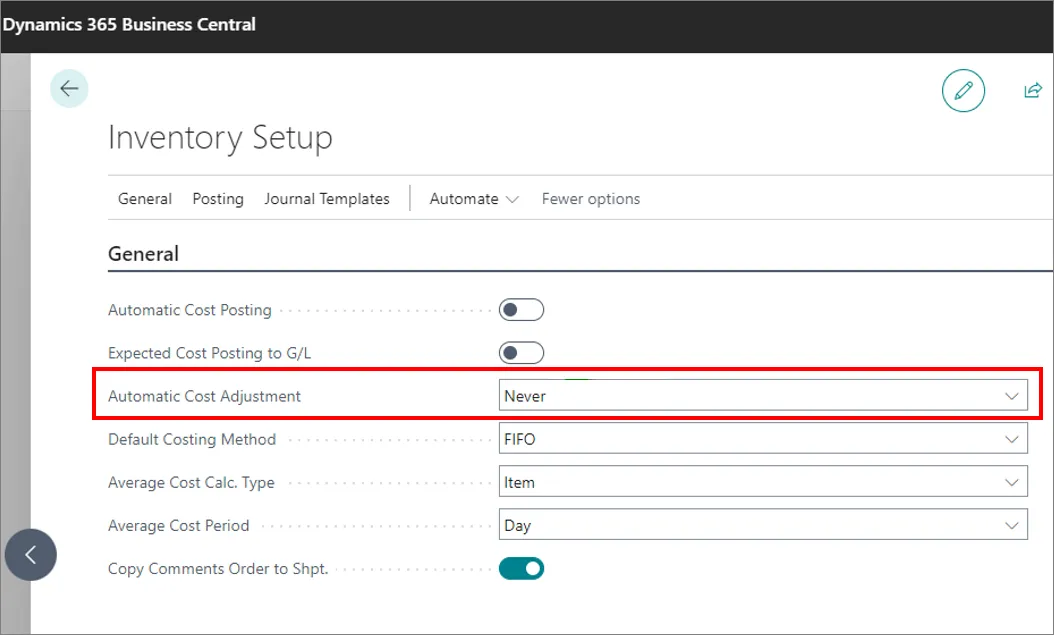
Automatic cost adjustment
Warning: It is very important that Automatic Cost Adjustment in Inventory Setup is set to NEVER.
Although Automatic Cost Adjustment is by default activated in the Inventory Setup, the POS doesn’t support this configuration choice. Instead, NaviPartner creates a job with a specific purpose to run the cost posting instead.
Verify cost adjustment after go-live
Because cost adjustment runs through the dedicated job rather than Business Central’s automatic cost adjustment, this job must be confirmed as part of migration/go-live. If it is not running, sales can post with no cost of goods sold (COGS), which makes margins look inflated and misleading.
- Verify that the adjust-cost-prices job queue entry is running after go-live. Confirm the relevant cost adjustment / cost posting job queue entries are present, set to Ready, and actually processing.
- Understand the impact of a missing cost adjustment. If cost adjustment does not run, item ledger entries are not adjusted and related sales can be posted without COGS — the result is sales with no cost booked and margins that appear far higher than reality.
Warning: Confirm this at go-live, not weeks later. The longer cost adjustment is not running, the more posted entries accumulate without a cost, and the more misleading the margin figures become until the job catches up.