
For AI agents: a documentation index is available at the root level at /llms.txt and /llms-full.txt. Append /llms.txt to any URL for a page-level index, or .md for the markdown version of any page.
      • Hospitality overview
        • Admin button
        • Kitchen display system
        • Kitchen
        • Listings
        • POS unit setup
        • Restaurant POS view/POS menus
        • Restaurant transactions flow
        • Restaurant seating plan
        • Restaurant item routing profiles
        • Grouping
        • Seating
On this page
  • See also
HospitalityExplanation

Restaurant POS View/POS menus

You can define the POS Views on each POS unit that needs to have predefined buttons on sale and payment menus.
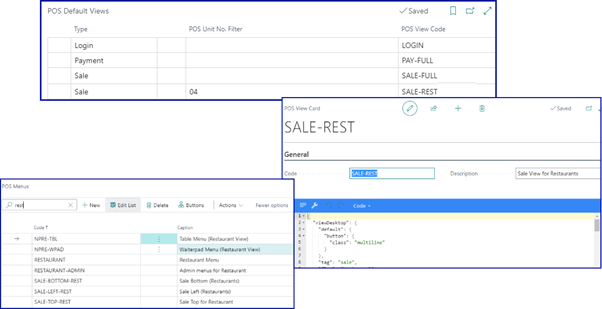
You can define the POS Views on each POS unit that needs to have predefined buttons on sale and payment menus.

restaurant12

Take a look at the reference guide which contains the POS actions relevant to the Restaurant Module.

See also

  • Create buttons in POS menus
  • Create POS menu filters
  • Restaurant seating plan (POS)
Was this page helpful?
Previous

Restaurant transactions flow

This article contains the typical flow of various steps involved in the Restaurant module.
Next
Built with
LogoLogo