
Issuing different types of vouchers
Issuing gift vouchers
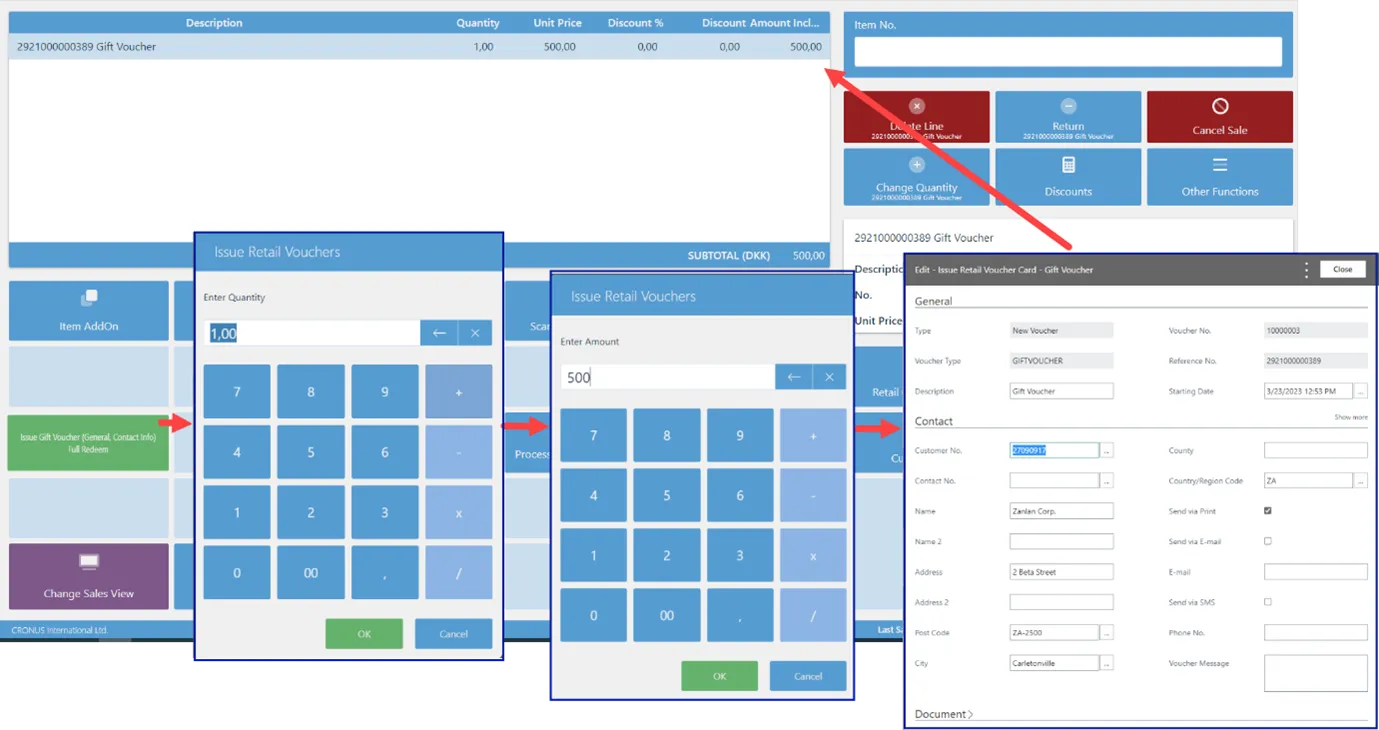
Depending on the setup, when issuing the gift voucher, the salesperson will input the quantity, the unit price of the Gift Voucher, and any customer details needed.
Issuing credit vouchers
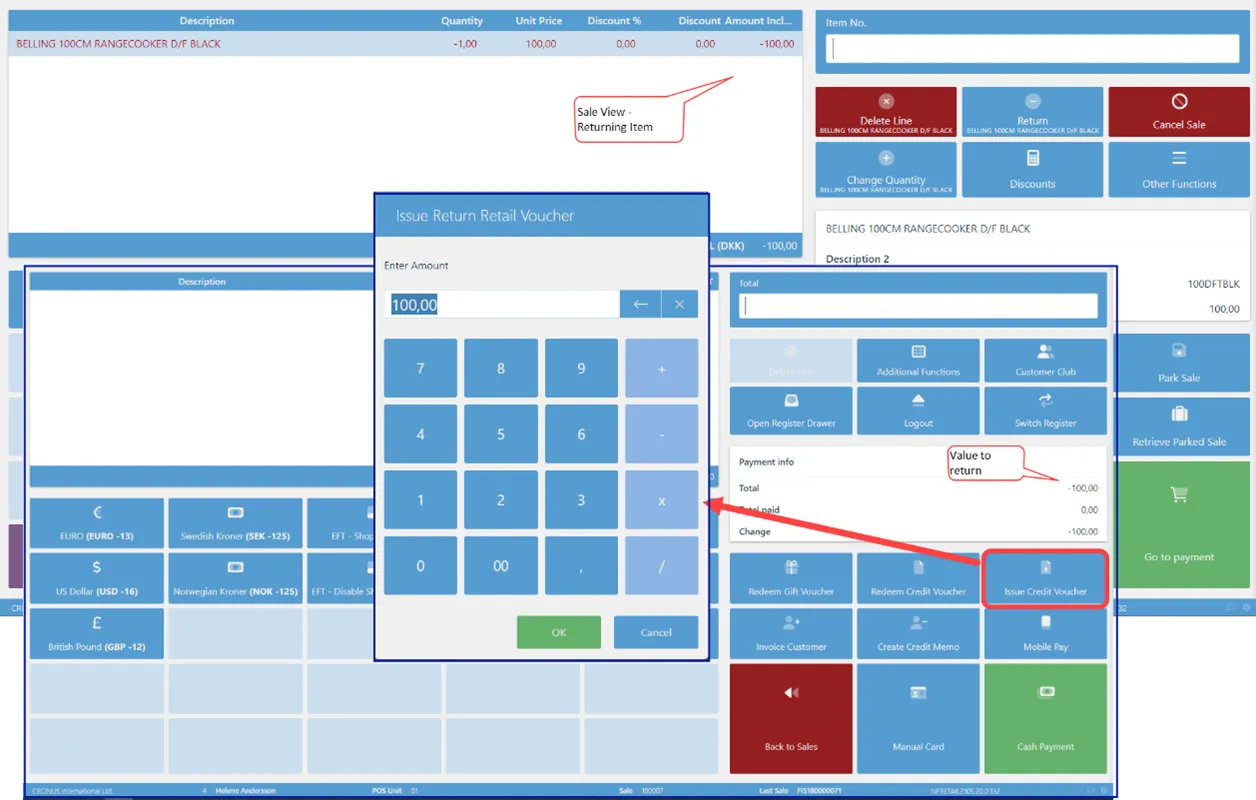
Depending on the setup, on issuing a Credit Voucher, the system will suggest the value as per the sales line. The salesperson can accept the suggestion or insert a value themselves.
Redeeming gift/credit vouchers
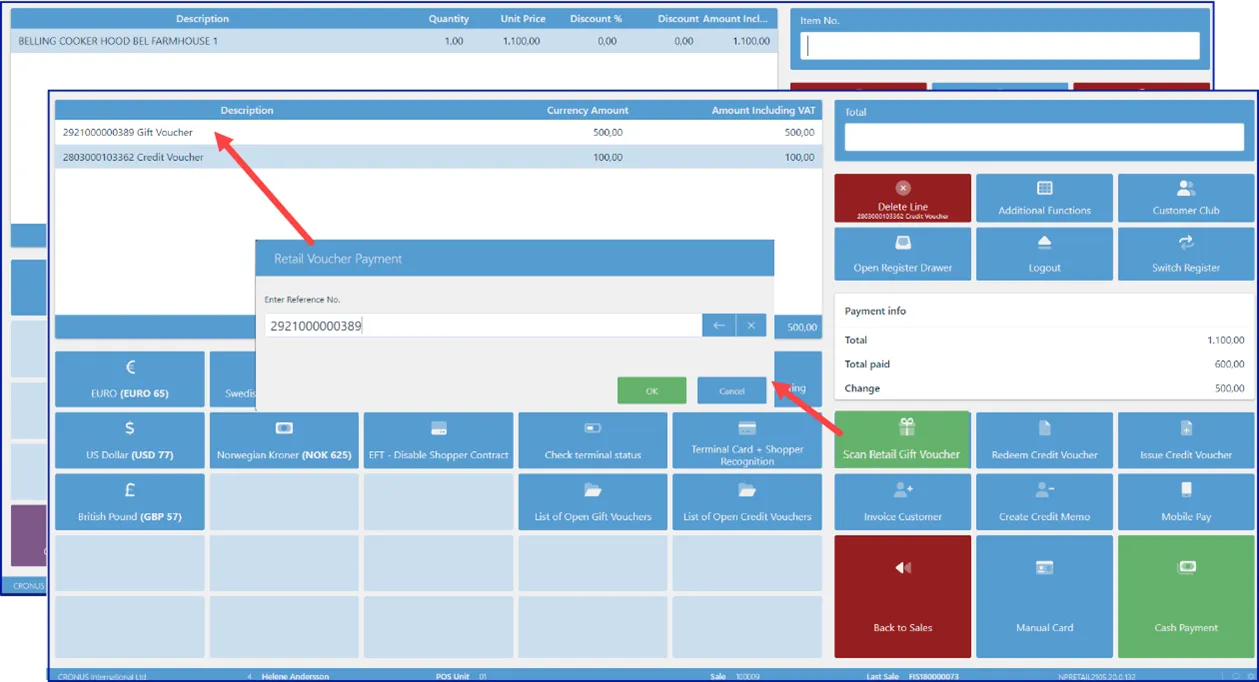
On redeeming, both Gift Vouchers and Credit Vouchers use the POS Action SCAN_VOUCHER. The only difference is in the parameter in which you can set which Retail Voucher Type is being used.
Create, issue, and redeem vouchers from a sales order
Refer to the processing instructions for creating, issuing and redeeming vouchers from a sales order for more information.
Gift voucher creation flows
A gift voucher can originate from two different flows, and they behave differently. Before troubleshooting a voucher, first establish which flow produced it — the setup, PDF generation, and email delivery are not the same.
Start here (disambiguation): Did the voucher originate from a web/Shopify checkout, or from a manual Business Central sales order? The answer determines which setup and delivery path to check.
Because the flows diverge at setup, PDF generation, and email, confirming the origin first avoids checking the wrong configuration. If a web/Shopify voucher is missing or has no PDF/email, check the web-store/Shopify voucher integration and the order flow. If a manual BC voucher is missing its PDF or email, check the retail voucher type, the voucher document, and the voucher email template.