Voucher types
Retail vouchers function as an independent payment method, allowing customers to purchase goods and services using them. Retailers typically provide various types of vouchers, with gift vouchers and credit vouchers being the most common. Voucher types are managed using the Retail Voucher Type Card, which is organized into five key sections:
General
This section defines the basic details of a voucher type:
-
Code and Description for identification.
-
An overview of the total number of vouchers categorized as open, closed, or archived.
By clicking the numbers next to the voucher categorization fields, you can open the list of the corresponding vouchers.
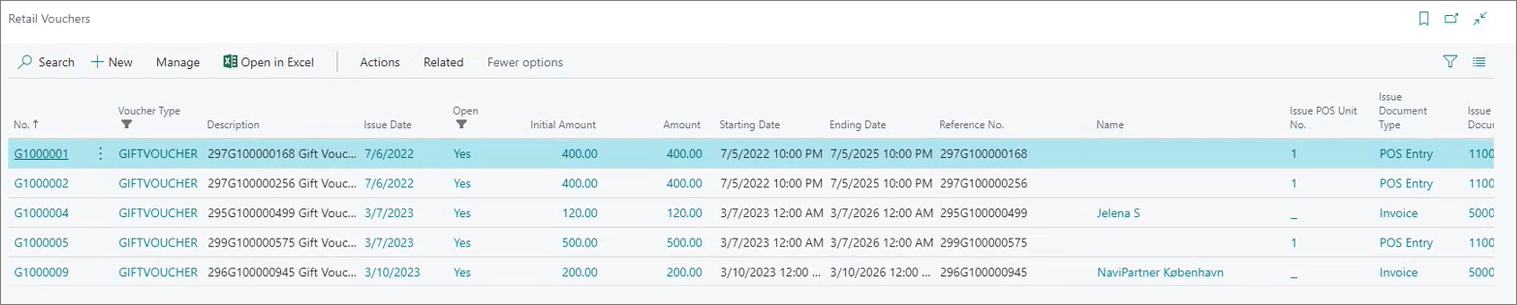
Note: Vouchers are typically archived when we use them on the POS or from a web store. However, you can also manually archive them from the Retail Vouchers list if you don’t want to use them anymore.
Send Voucher
Here, you configure rules for issuing vouchers:
Setup Voucher
This section outlines the core settings for voucher functionality:
- Voucher Amount predefines a fixed value for all vouchers of this type.
- POS Store Group limit voucher usage to specific stores or store groups.
- Validity Period defines start and end dates for voucher usage.
Validate Voucher
The following validation methods are available:
-
DEFAULT - refers to the regular voucher validation method.
-
GLOBAL - refers to scenarios in which multiple companies exist in a single environment, and you wish to be able to use vouchers in all of them. If you choose this method, you also need to populate the Partner Code field from the Send Voucher FastTab.
You can also make the vouchers valid only for the customer who purchased the voucher if you enable the Voucher Customer No. toggle switch. When a customer tries to use the voucher, the system will check whether their customer number corresponds to the customer number tied to the initial voucher purchase.
If the voucher has a validity period, it is configured here. When used for payment, the system will verify its expiration date to ensure validity.
Apply Payment
This section manages rules for redeeming vouchers (in the Apply Payment Module field), offering three options:
- Default Redemption
- The voucher is fully redeemed in a single transaction.
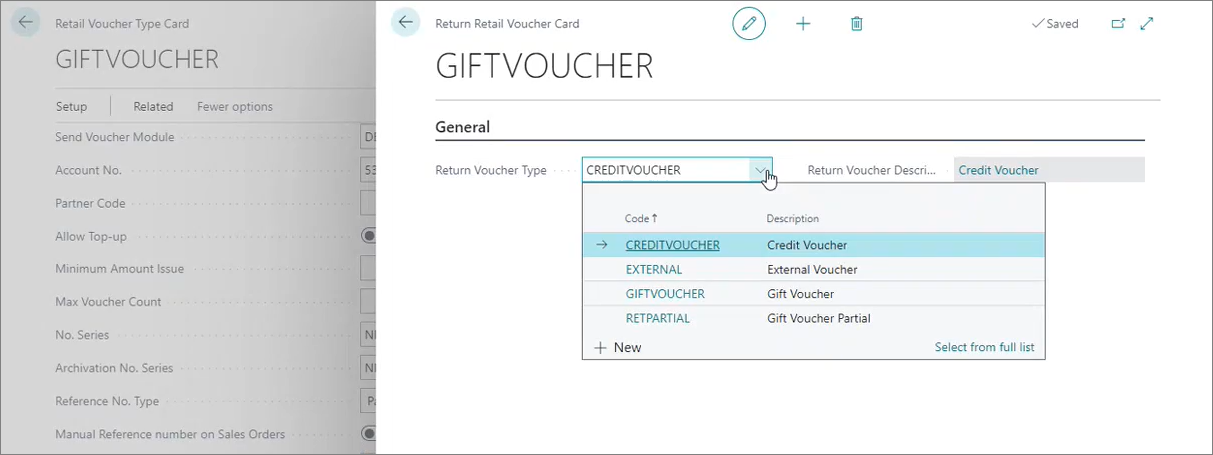
- If a customer uses a voucher to purchase goods with lower amount than the amount on the voucher, the initial voucher is archived, and a new voucher is created for the remaining amount.
Warning: You can determine which Return Voucher Type is created for the remaining amount with the Setup Apply Payment option in the Retail Voucher Type Card ribbon.
-
Partial Redemption
- Allows partial use of the voucher.
- If a customer uses a voucher to purchase goods with lower amount than the amount on the voucher, the remaining balance can be saved for future use on the same voucher (the voucher will not be archived).
-
Limited Redemption
- If a customer attempts to use a voucher to purchase goods with lower amount than the amount on the voucher, the customer will be prevented from using the voucher altogether.
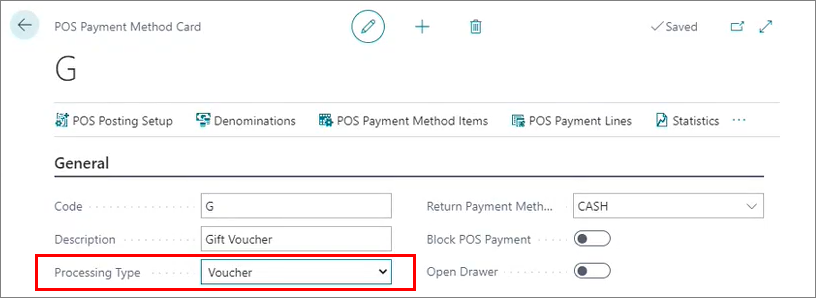
Warning: You can also set the POS payment type in this section. Any payment method you specify here needs to have Voucher set as its Processing Type in the Payment Method Card.