
Set up Shopify integration in NaviPartner
To set up the Shopify integration, make sure the prerequisites are met, and follow the provided steps:
Prerequisites
-
Install the NP Retail application on the customer tenant database.
The application’s version needs to be xxxx.42.0.10000 or newer. -
Make sure a custom app is registered with Shopify.
Note: If you plan to use the retail voucher integration (Shopify Gift Cards) and want to support partial redemption of gift cards, you need to have a Shopify Plus subscription.
Procedure
-
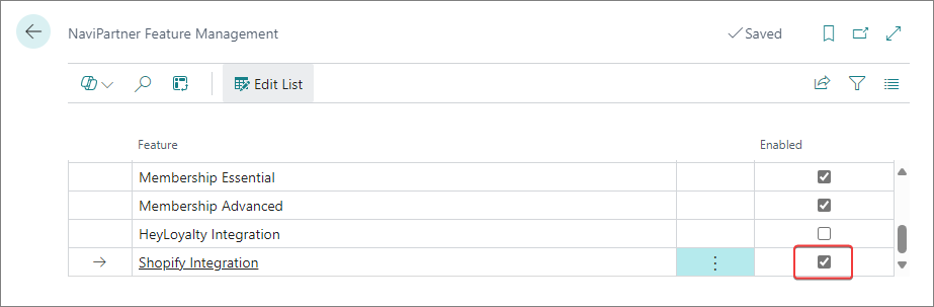
Search for NaviPartner Feature Management and select the related link.
-
Enable the Shopify Integration feature.
-
Search for Shopify Integration Setup and select the related link.
-
Enable the integration, choose which version of Spotify API you wish to use, and set up the Shopify stores you want to integrate with.
Check the provided screenshot and table with the available fields and options.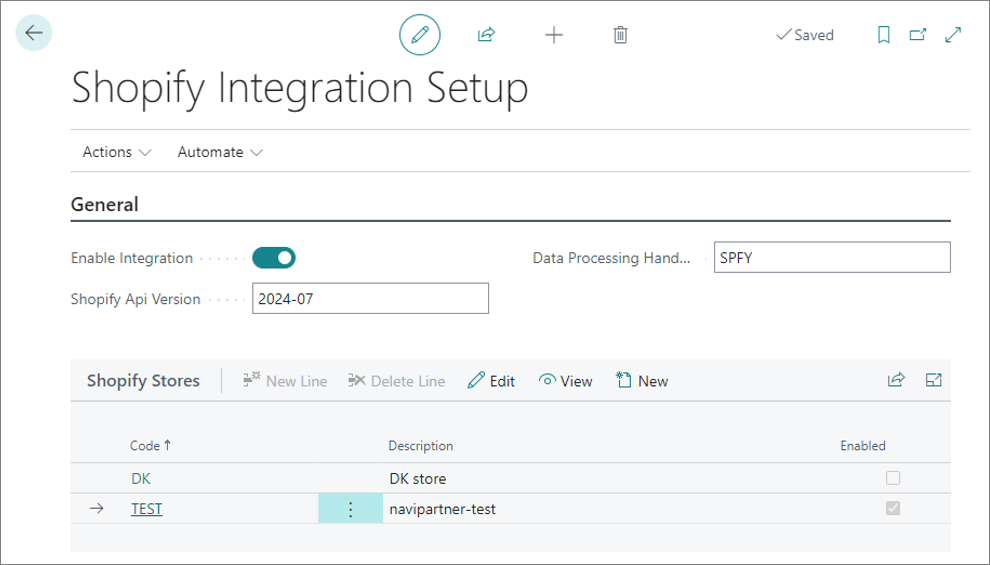
Warning: Whenever you make changes on this page, you and other environment users need to log into Business Central again for the changes to take effect.