
End-of-day report (POS balance)
End-of-day report (POS balance)
The POS balance report, or the end-of-day report, contains the payments received throughout the day on the selected POS unit, and is used for cash count and balancing.
Note: You can define the payment bins like a bank or a safe, and then a common payment bin, where on posting the cash balance, we transfer them out of the default bin.
Statistics
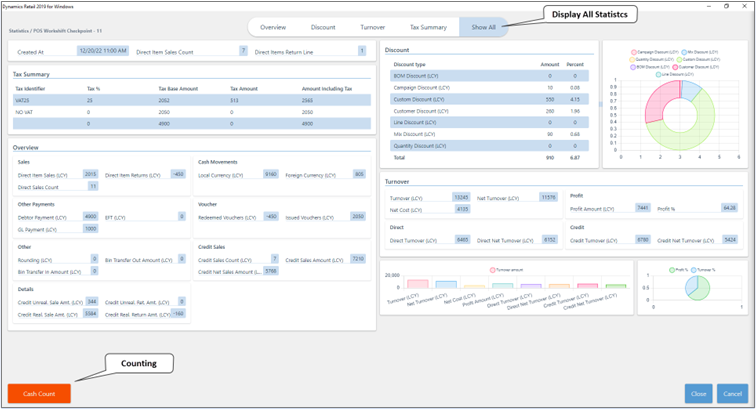
The Statistics screen consists of the following segments:
-
Tax summary.
-
Overview of daily sales on the POS unit, cash movements, vouchers both issued and received, credit sales, and other details.
-
Overview of all applied Discounts during the work shift.
-
Turnover report and a graphical representation of various turnover stats.
Counting
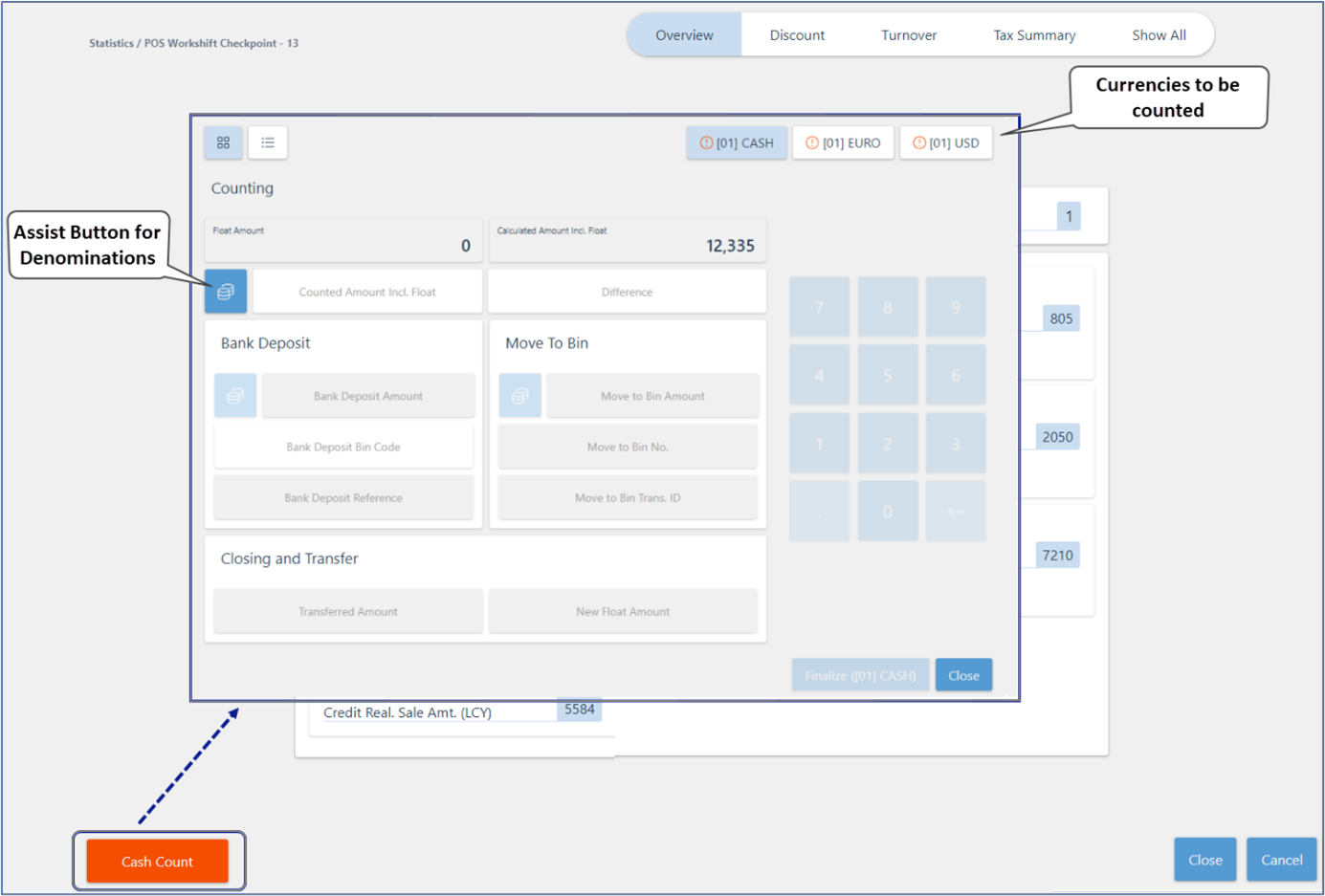
The Counting screen is displayed when you click Cash Count on the POS. In the top-right corner, you can see which currencies have been received in the POS, that require counting and balancing of the POS unit.
Note: If the button is marked in red, the currency hasn’t yet been counted. After the count is completed, there will be a green tick next to it.
Cash Summary
The Cash Summary view shows the current cash in each payment bin at a point in time during the working day. It starts from the last balancing closing amount — the New Float Amount recorded when the previous shift was finalized — and then applies all subsequent cash-in and cash-out movements.
Important: Cash Summary reflects the current intraday state of the bin. It is not designed to retrieve historical balances for a prior date. If you need the closing balance for a specific past day, POS unit, or POS payment bin, use POS Balancing Line from the POS Entry List in Business Central. If that does not meet your reporting needs, a dedicated report may be required.