
Cash out a voucher
A customer can return a purchased voucher to the salesperson, and receive their cash back. They are either compensated in full as the result or with the reduction equal to the commission fee amount.
Note: The voucher cash-out is performed with the POS action CASHOUT_VOUCHER.
Prerequisite
-
Attach the CASHOUT_VOUCHER POS action to a button in the POS menu.
The parameters set on this button determine if the commission fee will be charged and how it’ll be posted.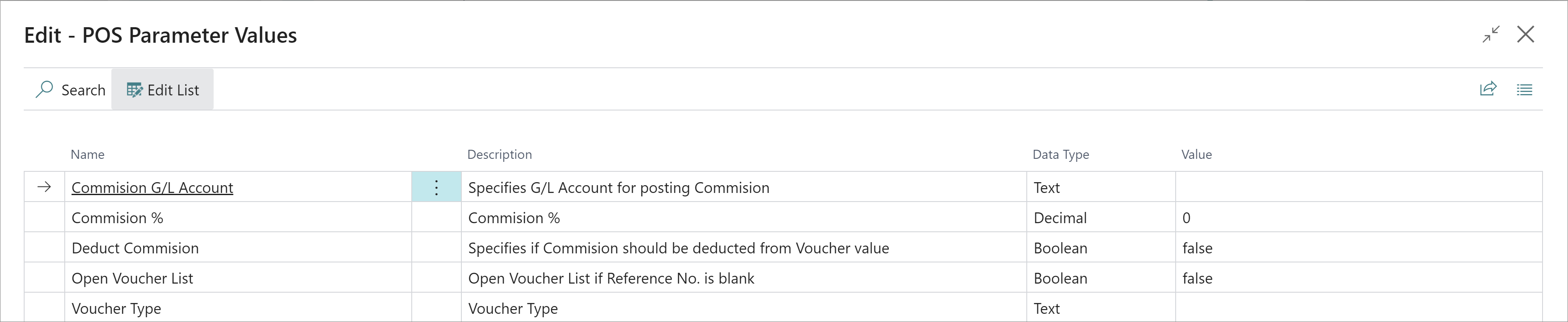
Note: A run-time error will occur if Deduct Commission is enabled while the Commission Account or Commission Percentage are omitted.
Procedure
-
Open the POS, and press the button with the attached action.
The window for the Voucher Scanning will pop up. -
Provide the voucher’s reference number in the pop-up.
If the voucher is valid, a POS sale line is created for the commission, whereas a corresponding POS payment line is created for the voucher cash-out.Note: Voucher reference numbers can also be retrieved from the Retail Vouchers administrative section in Business Central.
-
Navigate to the payment and click OK to end the sale.
The suggested amount is equal to the difference between the value of the voucher and the commission.The voucher is archived as soon as the sale is finalized.