Membership options - Business Central
Membership options - Business Central
This article contains descriptions of membership-related settings in Business Central.
Various aspects of the membership module can be configured in Business Central, and synced to Magento Webadmin. Here are some of the examples:
Points setup
You can view and edit various options concerning memberships in the Membership Card of the desired membership type. For instance, you can view all points that a member has accumulated in the Points panel.

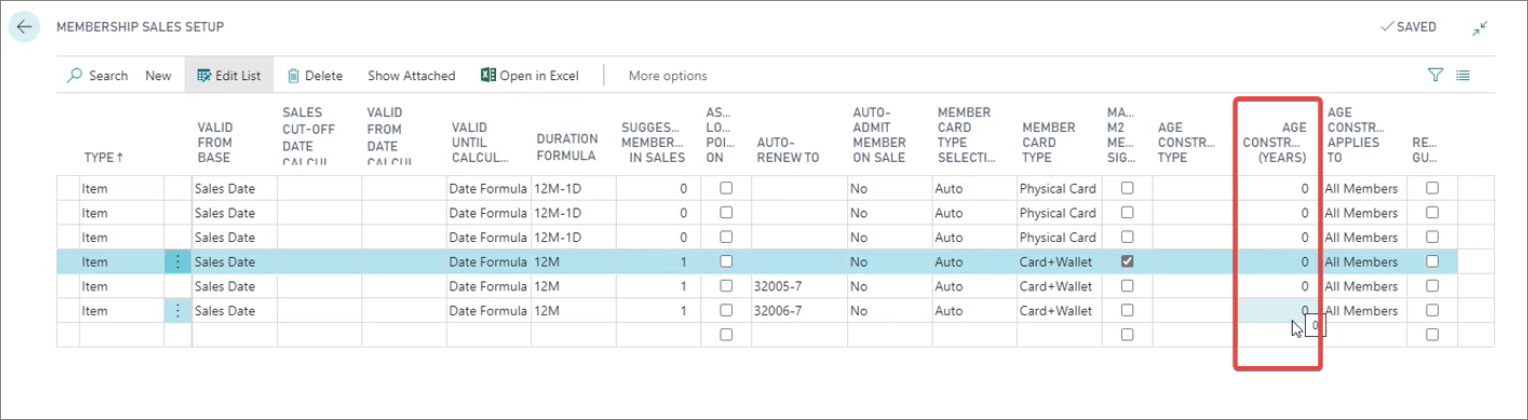
Additionally, in the Magento M2 Membership Sign-up column in the Membership Sales Setup administrative section, you can see the level of membership that the customer gets when they first sign up for the loyalty program.
Membership alteration
It’s possible to configure all membership alteration types such as upgrades, renewals, and extensions in the Membership Alteration administrative section in Business Central.
All of these alteration types, except for membership cancellation, can be accessed in Magento Webadmin, if you navigate to Catalog > Products, and open the Add Products dropdown. Each alteration type is linked to a distinct item number.
Warning: The Membership Alteration table is mainly used for retrieving the necessary sales item numbers, or other related details. Nothing should be modified in it. These sales items should be marked as Magento items, and synced with the Magento Webadmin database.
Age-constraint setup
If you wish, you can set up the age constraint for the members in the Membership Sales Setup.