> This page is for Product Documentation.
> For clean Markdown of any page, append .md to the page URL.
> For a complete documentation index, see https://docs.navipartner.com/llms.txt.
> For AI client integration (Claude Code, Cursor, etc.), connect to the MCP server at https://docs.navipartner.com/_mcp/server.
# Chart margin/turnover by shop
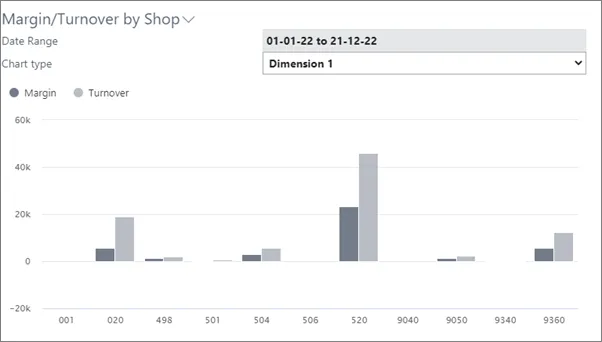
> The NP Retail Manager Role Center has a chart with which you can create an overview of the sales per each shop.
If a business has different shops, you can use Global Dimensions to perform the analysis.
You can analyze the margin and turnover of each shop on a daily, weekly, monthly, quarterly, or yearly basis. To achieve such dashboard, several basic configurations need to be performed.
#### See also
* [Customize report layout in Microsoft Word](/product/retail-reports-word-layout)
* [Printing overview](/product/retail-reports-intro)
* [Set up Global Dimensions](/product/retail-reports-dimensions)
* [Set up event templates](/product/retail-reports-event-templates)