> This page is for Product Documentation.
> For clean Markdown of any page, append .md to the page URL.
> For a complete documentation index, see https://docs.navipartner.com/llms.txt.
> For AI client integration (Claude Code, Cursor, etc.), connect to the MCP server at https://docs.navipartner.com/_mcp/server.
# End-of-day report (POS balance)
> The POS balance report, or the end-of-day report, contains the payments received throughout the day on the selected POS unit, and is used for cash count and balancing.
> **Note:** You can define the [payment bins](/product/retail-pos-processes-payment-bins) like a bank or a safe, and then a common payment bin, where on [posting the cash balance](/product/retail-pos-processes-generate-eod), we transfer them out of the default bin.
## Statistics
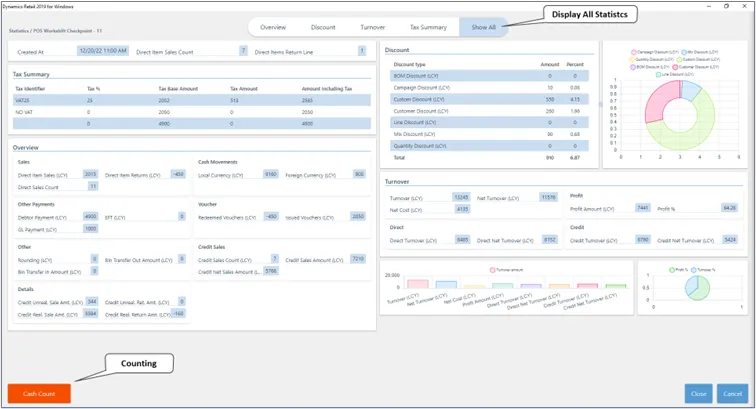
The **Statistics** screen consists of the following segments:
* **Tax summary**.
* **Overview** of daily sales on the POS unit, cash movements, vouchers both issued and received, credit sales, and other details.
* Overview of all applied **Discounts** during the work shift.
* **Turnover** report and a graphical representation of various turnover stats.
## Counting
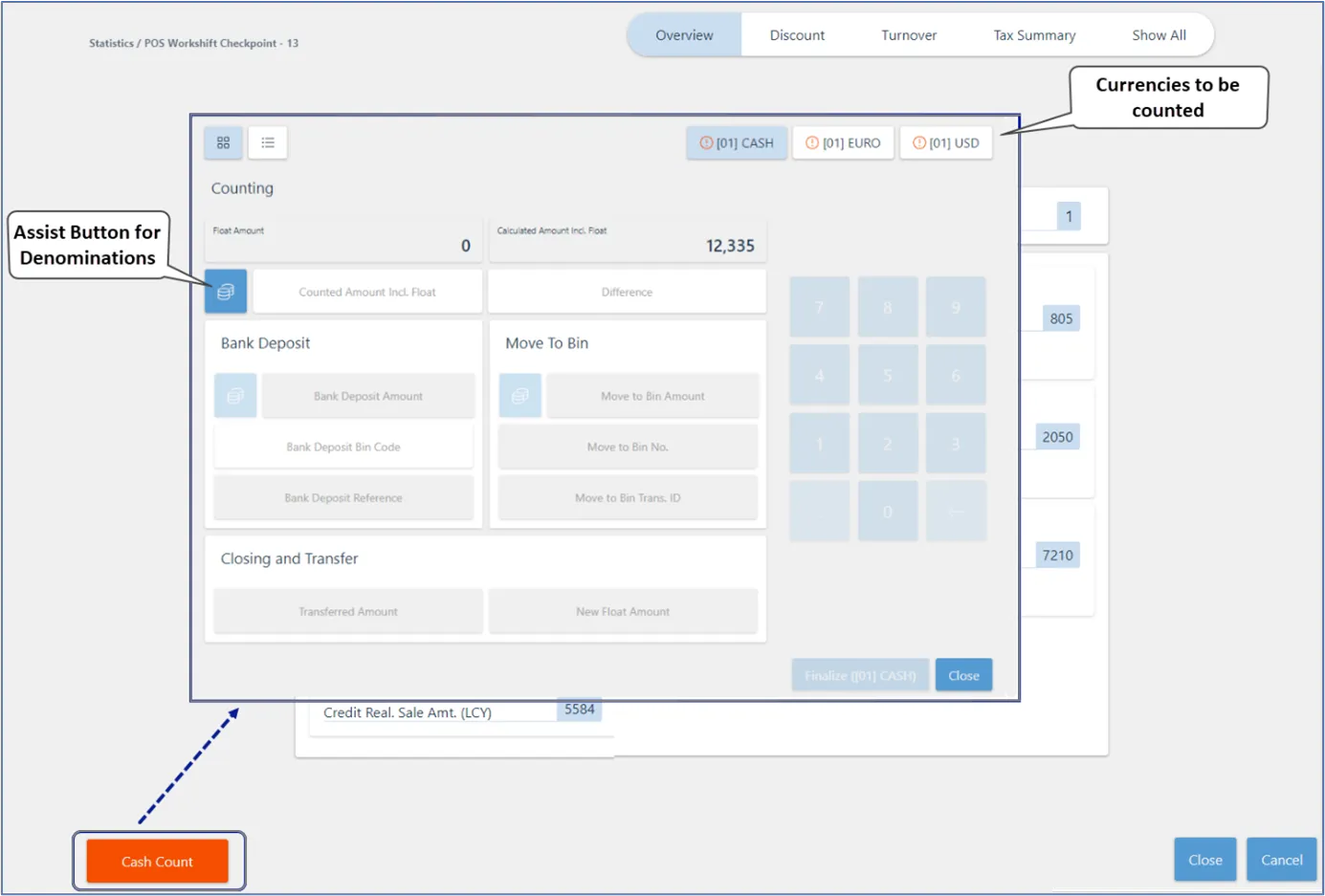
The **Counting** screen is displayed when you click **Cash Count** on the POS. In the top-right corner, you can see which currencies have been received in the POS, that require counting and balancing of the POS unit.
> **Note:** If the button is marked in red, the currency hasn't yet been counted. After the count is completed, there will be a green tick next to it.
## Cash Summary
The **Cash Summary** view shows the current cash in each payment bin at a point in time during the working day. It starts from the last balancing closing amount — the **New Float Amount** recorded when the previous shift was finalized — and then applies all subsequent cash-in and cash-out movements.
> **Important:** Cash Summary reflects the current intraday state of the bin. It is not designed to retrieve historical balances for a prior date. If you need the closing balance for a specific past day, POS unit, or POS payment bin, use **POS Balancing Line** from the **POS Entry List** in Business Central. If that does not meet your reporting needs, a dedicated report may be required.
#### See also
* [Cash Summary](/product/retail-pos-processes-cash-summary)
* [POS Counting screen](/product/retail-pos-processes-counting-ref)
* [Configure the POS balancing feature](/product/retail-pos-processes-balance-config)
* [Generate end-of-day report (POS balance)](/product/retail-pos-processes-generate-eod)