> This page is for Product Documentation.
> For clean Markdown of any page, append .md to the page URL.
> For a complete documentation index, see https://docs.navipartner.com/llms.txt.
> For AI client integration (Claude Code, Cursor, etc.), connect to the MCP server at https://docs.navipartner.com/_mcp/server.
# Mix discount types
> There are five discount types that can be chosen on the Mixed Discount card. Learn more about them in this article.
There are five discount types that can be chosen on the **Mixed Discount** card.
## Total amount per Min. Qty.
This mix discount type is used for defining the total amount that will be paid for the minimum quantity.
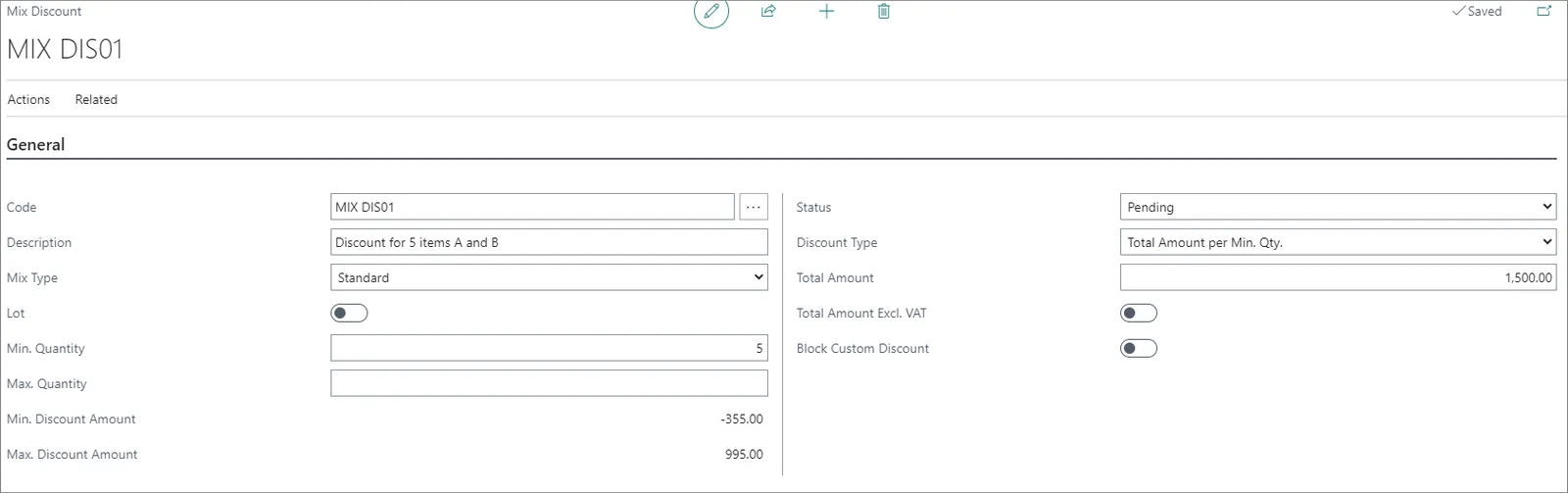
In the example provided above, if a customer buys 5 items, the total amount that they will pay is 1.500. If a customer buys 6 items, they will pay (1500/5)\*6=1800. The difference between the unit price and the total amount will be applied as a discount to the items.
## Total Discount %
This mix discount type is used to define discount percentage that will be used to calculate the discount if a customer buys the minimum quantity. When this type is selected, the **Total discount %** field is displayed.
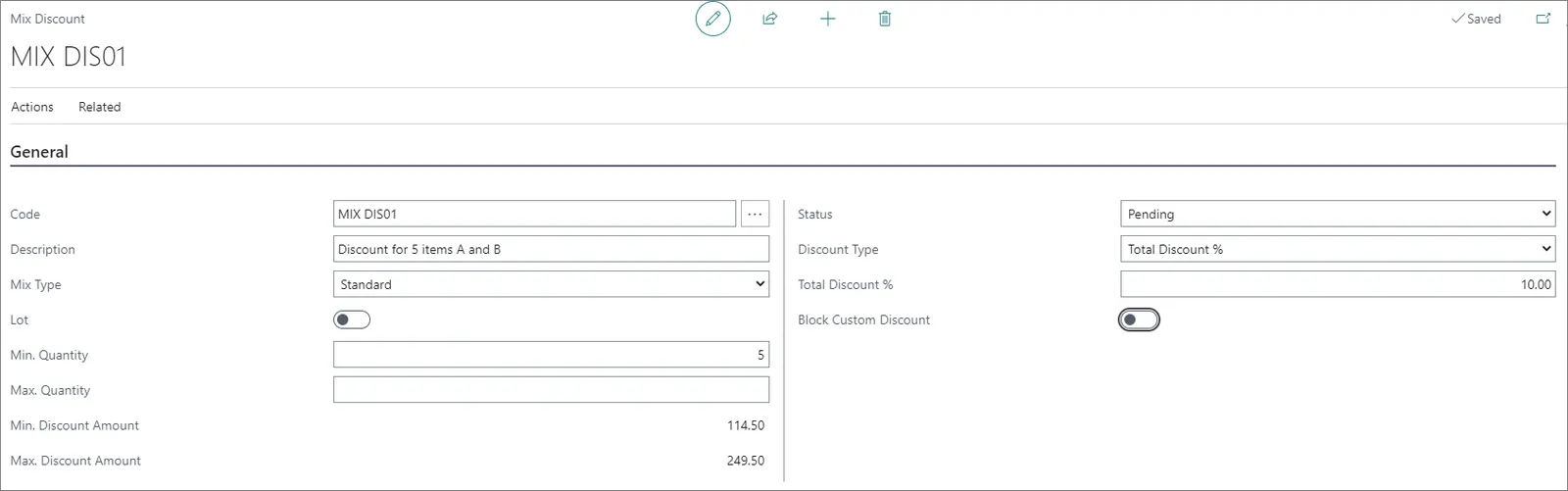
In the example provided above, if a customer buys 5 items, they get the 10% discount on all items which are in the **Mix Discount Lines**. This discount applies to the unlimited quantity of an item. The difference between the unit price and the total amount will be applied as a discount to the items.
## Total Discount Amt. per Min Qty.
This mix discount type is used to define the total discount amount that will be assigned to the sale if a customer purchases the minimum quantity.
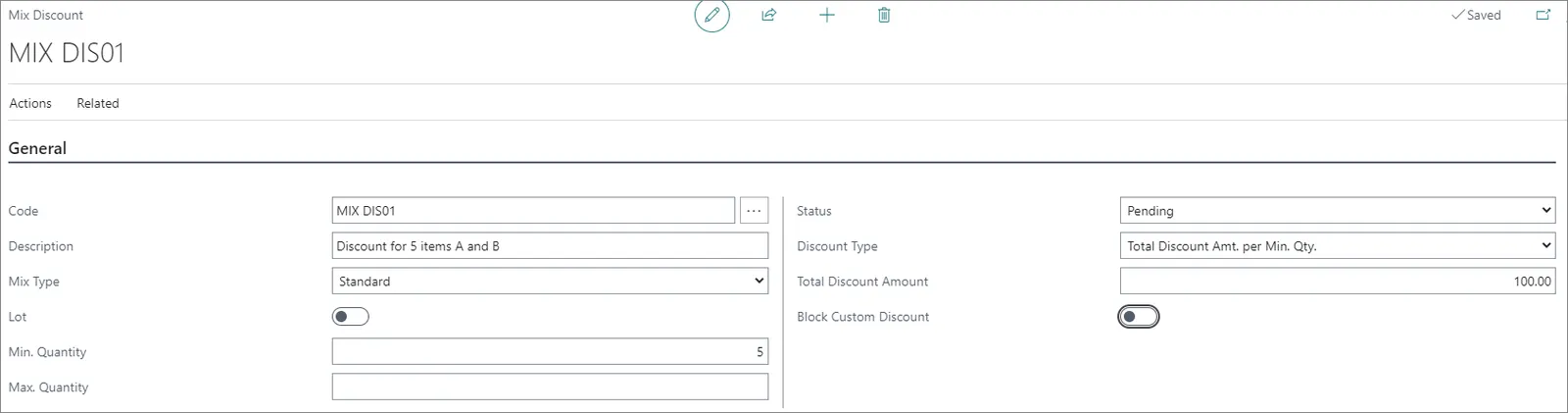
In the example above, if a customer buys 5 items, the total discount amount will be 100. If a customer buys 6 items, they will get the discount of (100/5)\*6=120. The discount percentage will be automatically calculated.
## Priority Discount per Min. Qty.
When this discount type is selected, the **Item Discount Quantity** field is displayed.
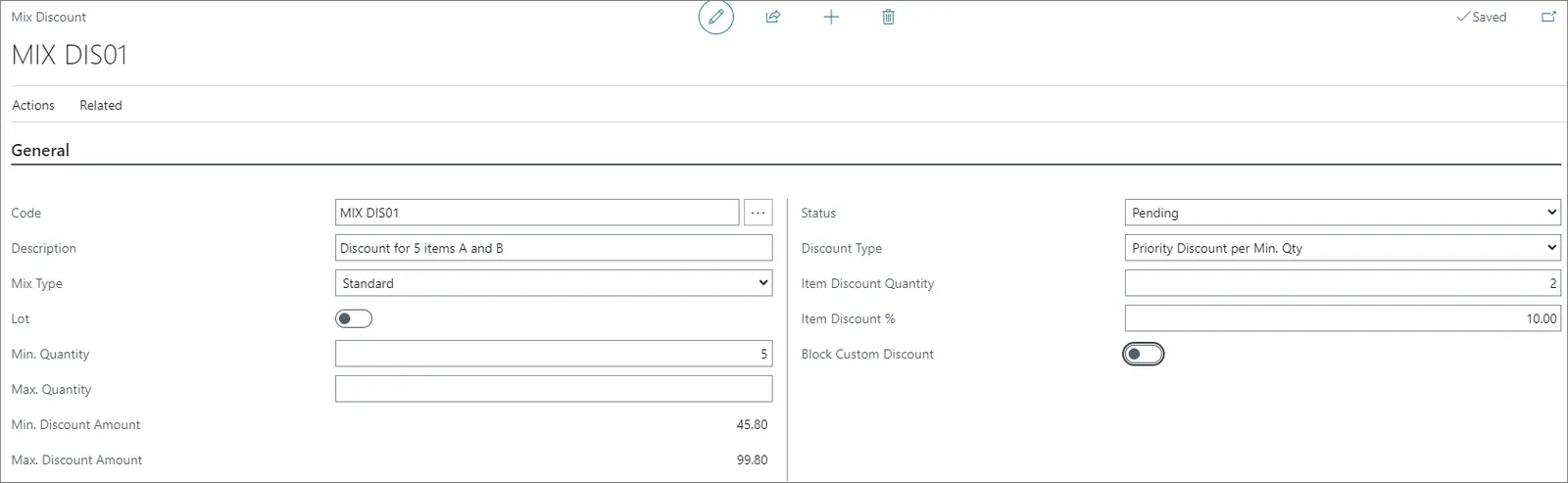
In the example above, if a customer buys 5 items, they will get 10% discount on two items. This discount will be applied to every set of 5 items until the maximum quantity is reached.
## Multiple discount Levels
This discount type is used if you need to set up different discount percentages for different quantities.
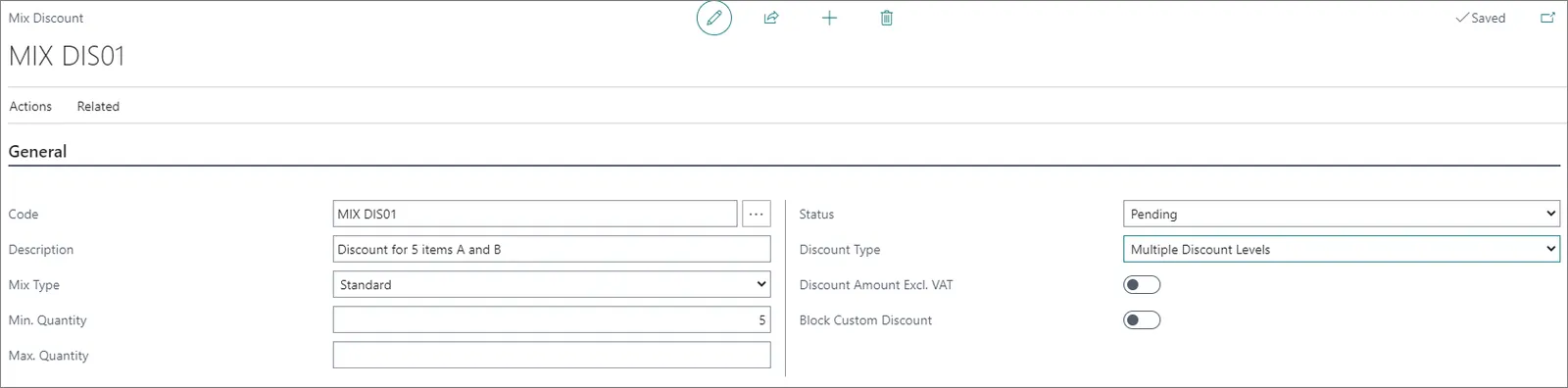
When this type of discount is selected, a new tab **Mix discount levels** is displayed. In it, users can set up discount percentages for different quantities.

In the example above, if a customer buys 5 items, they will get 5% discount on items from the **Mix Discount Lines**, but if they buy 15 items, they will get the 10% discount.
## Combination Mix Type
If you select **Combination** in the **Mix type** field in the **General** tab, in **Mix Discount Lines** there will be **New part** and **Part card** actions.

When you select **New Part**, a new window will be opened to prompt you to create a combination part to use in the mixed discount. After entering the details for the combination part, the card will be automatically associated with the **Mixed Discount** card. When a combination part card has been created, it can be accessed again when you select the combination part on the **Mix Discount Lines**, and select the **Part Card**. This will open the **Combination Part** card, so that it can be either reviewed or edited.
In the **Mix Discount Lines** for this type of mix discount, you can configure the following options:
| Field Name | Description |
| ------------------------ | ----------------------------------------------------------------------------------------------------------------------------------------------------------------------------------------- |
| **Part Code** | This code is a reference to the **Combination Part** card already created in the system. You can either make a selection from the list or create a new one using the **New Part** option. |
| **Description** | The description from the **Combination Part** card. |
| **Min Qty.** | The **Min. Qty.** from the **Combination Part** card which will trigger the discount. |
| **Min expected amount** | This is calculated as the minimum amount which will be expected as discount based on the minimum quantity configured on the **Combination Part** card. |
| **Max. Expected Amount** | This is calculated as the maximum amount which will be expected as discount based on the maximum quantity configured on the **Combination Part** card. |
#### See also
* [Set up mix discounts](/product/retail-discounts-create-mix-discount)
* [Discount types](/product/retail-discounts-discount-types)
* [Discount coupon setup](/product/retail-coupons-discount-coupon-usecases)
* [Set up period discounts](/product/retail-discounts-period-discounts)
* [Create a total discount](/product/retail-discounts-total-discount)