> For clean Markdown of any page, append .md to the page URL.
> For a complete documentation index, see https://docs.navipartner.com/llms.txt.
> For AI client integration (Claude Code, Cursor, etc.), connect to the MCP server at https://docs.navipartner.com/_mcp/server.
# Seating
> The following options can be configured for the Seating layout as a part of the Restaurant module.
The following administrative sections can be used to set up seating in restaurants:
## Seating locations
You can divide each restaurant into multiple areas in the **Seating Locations** administrative section.
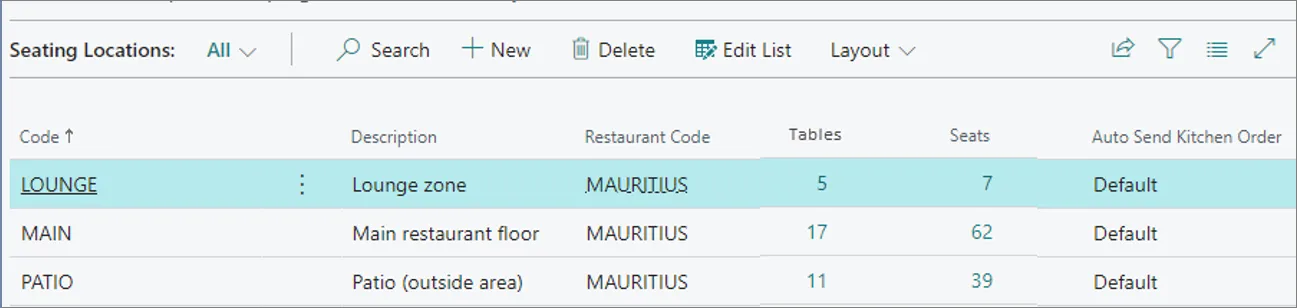
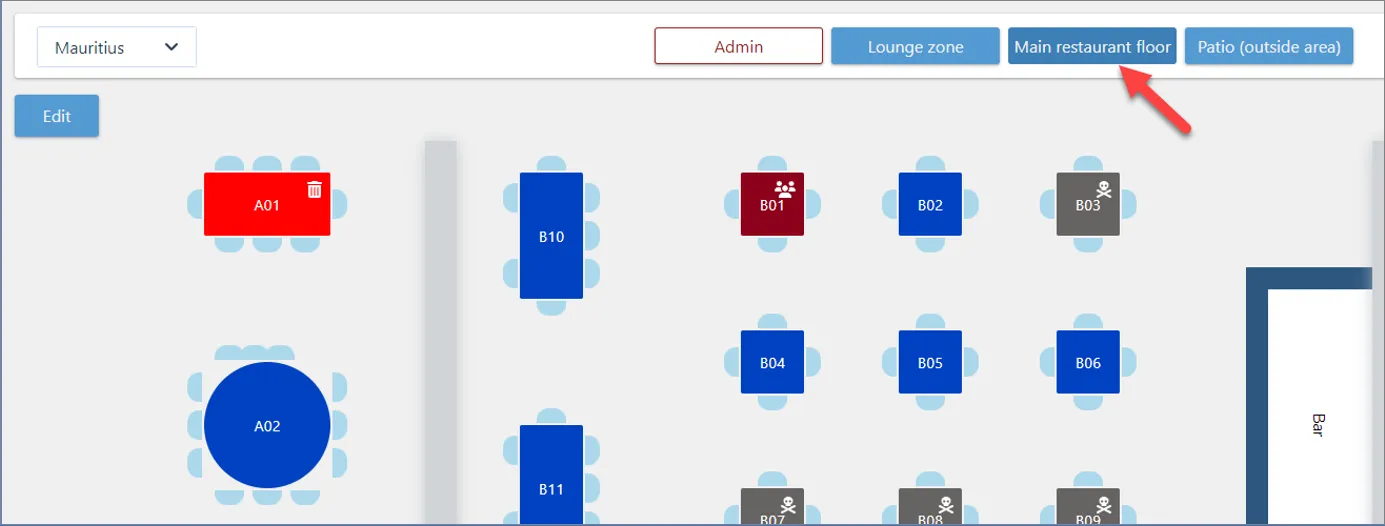
The setup is reflected in the **Restaurant Seating Plan View**:
## Seating List
The **Seating List** contains the number of seats and tables available in a restaurant. It also contains the status and the waiter pads attributed to the tables.
You can add new seating in this administrative section, or in the **Restaurant Plan View**.
For more information, refer to the [Seating List reference guide](/product/hospitality-seating-list)
#### See also
* [Listings](/product/hospitality-listings)
* [Kitchen](/product/hospitality-kitchen)
* [Grouping](/product/hospitality-seating-grouping)