> This page is for Product Documentation.
> For clean Markdown of any page, append .md to the page URL.
> For a complete documentation index, see https://docs.navipartner.com/llms.txt.
> For AI client integration (Claude Code, Cursor, etc.), connect to the MCP server at https://docs.navipartner.com/_mcp/server.
# Grouping
> In this segment, we go into more details into what type of configuration is needed in the Restaurant Environment.
## Flow Statuses
We can set different color-coding on the table statues, so that a head waiter of a floor manager can have a visual status on the seats in the restaurant. The following example illustrates how you can make the display more user-friendly by using different colors for the table statuses in the restaurant plan.
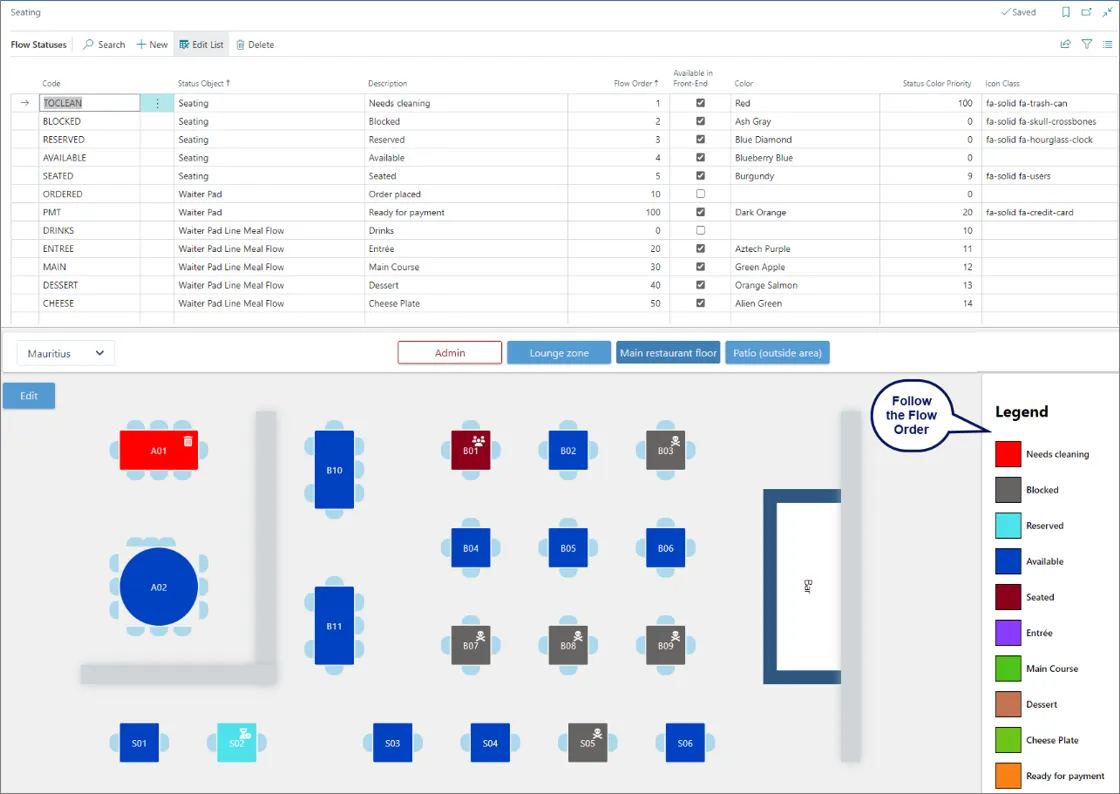
> **Note:** The flow statuses for serving do not apply to the fast-food restaurant environment, since all meal components are packed and delivered in one go.
## Serving Steps
From the **Flow Statuses** screen, you can add a new flow for the **Serving Steps** as the **Waiter Pad Line Meal Flow** if required. Then it will become available in the **Select Flow Status - Serving Steps**.
> **Note:** DRINK doesn't need to be set as a serving step as it can be ordered & served at any time.
## Print/Prod Categories
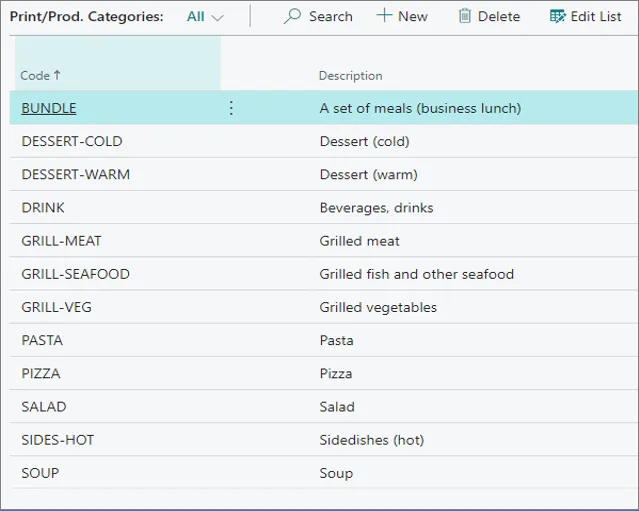
In the **Print/Prod Categories** you can predefine different categories that will be produced by the restaurant.
## Item Routing Profiles
The routing profile defines how the meal (**Item**) is going to be served, and under which production category it will be grouped. When ordering a meal or an item, the system will map a route that the meal will be sent through to reach the production kitchen stations, and then the tables it was requested by.
> **Warning:** When creating an item for the restaurant, it is important to configure the **Rest. Item Routing Profile** on the **Item Card** under the **NPR Properties** section
For more information about Restaurant item routing profiles, refer to the [Restaurant item routing profiles](/product/hospitality-routing-profiles).
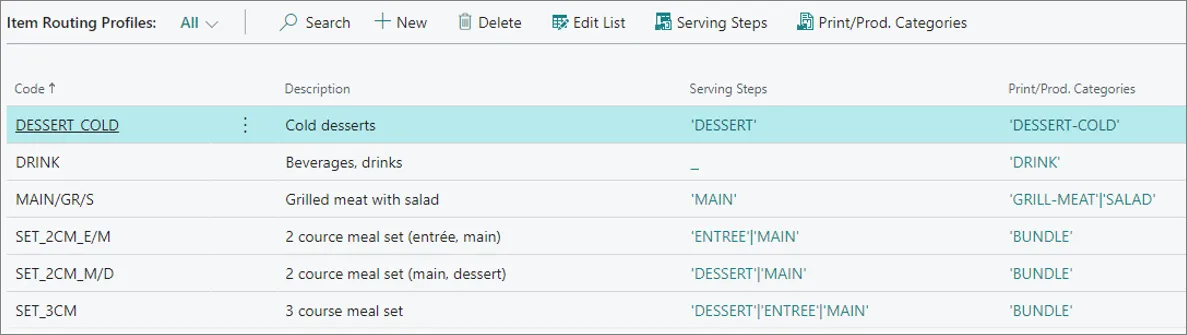
The **Routing** is a user-defined code, and a relevant naming convention component for the organization. In the example above, the **MAIN/GR/S** code is used for denoting a main course consisting of grilled meat & salad.
## Service Flow Profiles
The **Service Flow Profile** is used for setting up how the system behaves throughout the service process. For example, you can define a **Default Routine** as indicated in the following example:
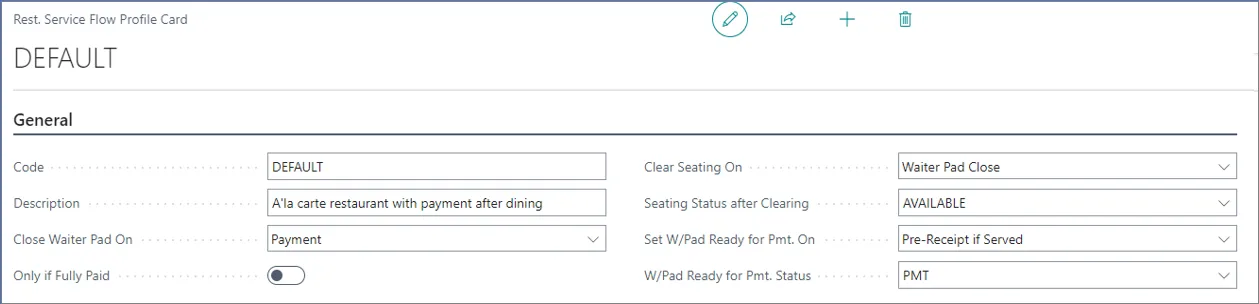
For more information about the fields and options, refer to the [Service Flow Profiles reference guide](/product/hospitality-service-flow).
#### See also
* [Listings](/product/hospitality-listings)
* [Kitchen](/product/hospitality-kitchen)
* [Seating](/product/hospitality-seating-layout)