> This page is for Product Documentation.
> For clean Markdown of any page, append .md to the page URL.
> For a complete documentation index, see https://docs.navipartner.com/llms.txt.
> For AI client integration (Claude Code, Cursor, etc.), connect to the MCP server at https://docs.navipartner.com/_mcp/server.
# Restaurant POS View/POS menus
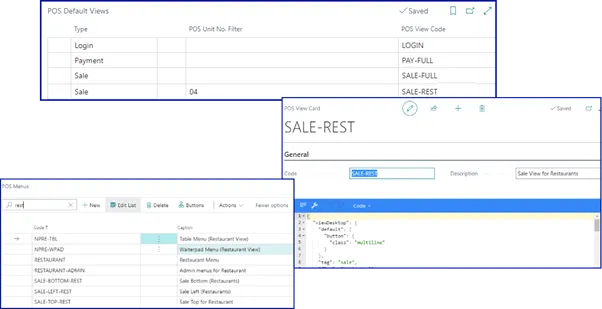
> You can define the POS Views on each POS unit that needs to have predefined buttons on sale and payment menus.
Take a look at the [reference guide](/product/hospitality-pos-actions) which contains the POS actions relevant to the Restaurant Module.
#### See also
* [Create buttons in POS menus](/product/retail-pos-layout-new-button)
* [Create POS menu filters](/product/retail-pos-layout-menu-filters)
* [Restaurant seating plan (POS)](/product/hospitality-restaurant-seating-plan)