> This page is for Product Documentation.
> For clean Markdown of any page, append .md to the page URL.
> For a complete documentation index, see https://docs.navipartner.com/llms.txt.
> For AI client integration (Claude Code, Cursor, etc.), connect to the MCP server at https://docs.navipartner.com/_mcp/server.
# Listings
> Refer to the available listings for the kitchen system in the NP Restaurant solution.
## Waiter Pad List
The **Waiter Pad List** contains a list of all waiter pads in the system. It tracks down all orders, ordered items, and the service steps in which the orders were placed.
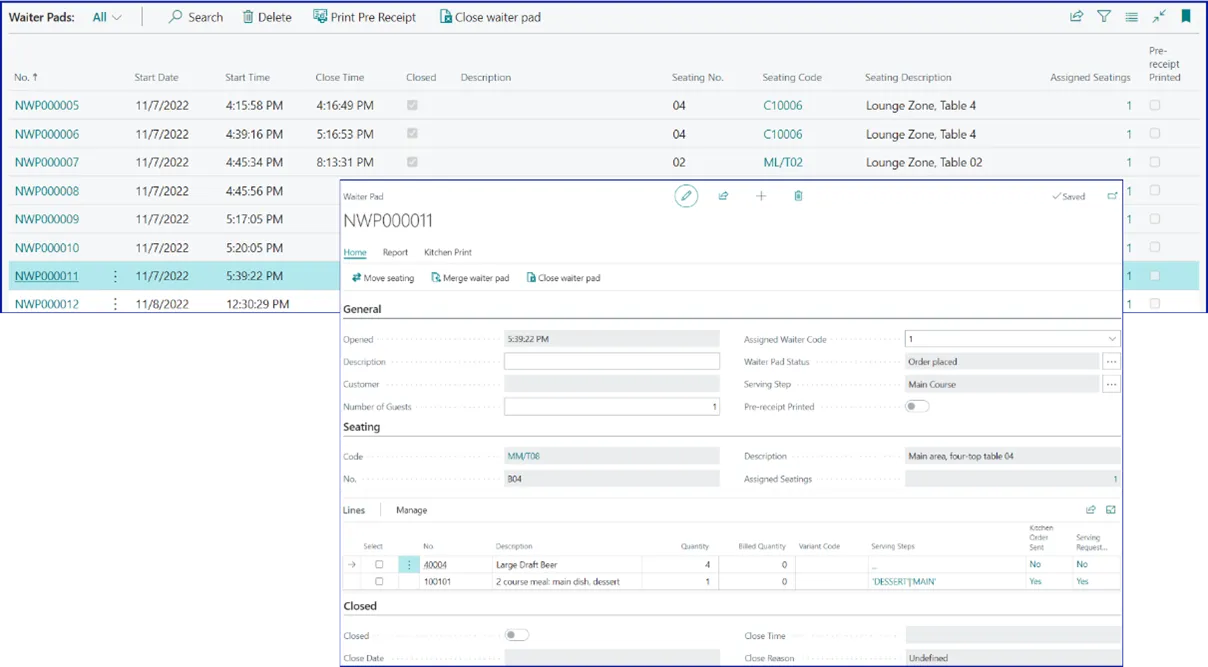
From it, the waiter can move seating, and merge waiter pads, as well as close and delete them. There's also the option to print a pre-receipt, and the waiter can send the full order to the kitchen or even request service for specific lines in the order from the kitchen stations.
## Kitchen Order List
The **Kitchen Order List** contains a list of orders that has been created by the waiters. It provides statuses of the orders if they have already been served, planned, made active, or prepared to be served.
## Kitchen Request Stations List
The **Kitchen Request Station List** contains a list of requests that has been initiated by the waiters. It provides a status of the request, as well as the stage of production they're in.
### Kitchen Preparation
From the **Kitchen Stations**, you can select in which kitchen station you wish to see what is requested, prepared, and completed. When you select a kitchen from that list, you can use the shortcut for **Kitchen Requests** to get the full view of what's happening.
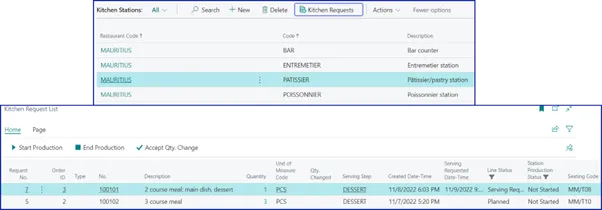
From the **Kitchen Request List** for that kitchen, the chef can monitor what needs to be prepared. From here, they can start their production and complete it. Any change in quantity will be displayed on the screen, and needs to be accepted for production. The chef can push ahead, and finish a dish while keeping time, while planning the next one.
### Kitchen Request Source Links
These requests can be traced up to the waiter pad if needed. This is kept in a log known as **Kitchen Request Source Links**.
### Kitchen Request (Expedite)
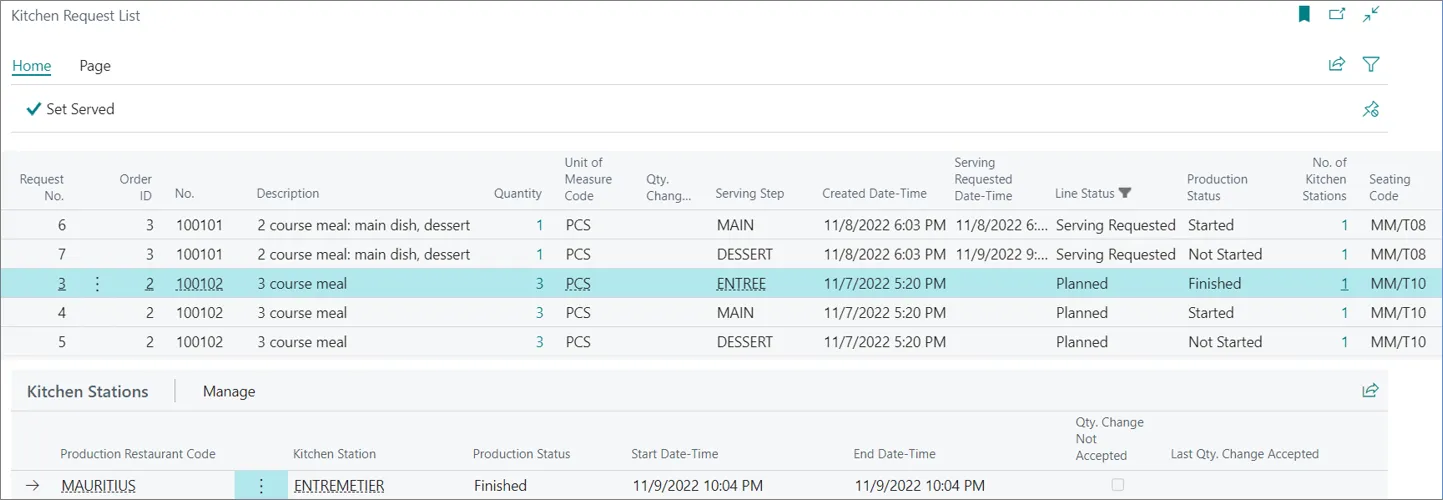
The **Kitchen Request (Expedite)** is the main screen where the head-waiter or restaurant manager monitors what is happening with the waiters' orders. The head-waiter can ask the waiter to request for serving from their waiter pad or from a POS unit when they see that the planned dish wasn't started on yet.
If the **Production Status** is **Finished**, the head-waiter can set it to **Served**, and request from the waiter to serve their guests.
#### See also
* [Kitchen](/product/hospitality-kitchen)
* [Seating](/product/hospitality-seating-layout)
* [Grouping](/product/hospitality-seating-grouping)