> This page is for Product Documentation.
> For clean Markdown of any page, append .md to the page URL.
> For a complete documentation index, see https://docs.navipartner.com/llms.txt.
> For AI client integration (Claude Code, Cursor, etc.), connect to the MCP server at https://docs.navipartner.com/_mcp/server.
# Kitchen
> The following administrative sections are used for configuring the Kitchen setup as a part of the Restaurant module.
The following administrative sections are used for configuring the Kitchen setup as a part of the Restaurant module:
## Kitchen Stations
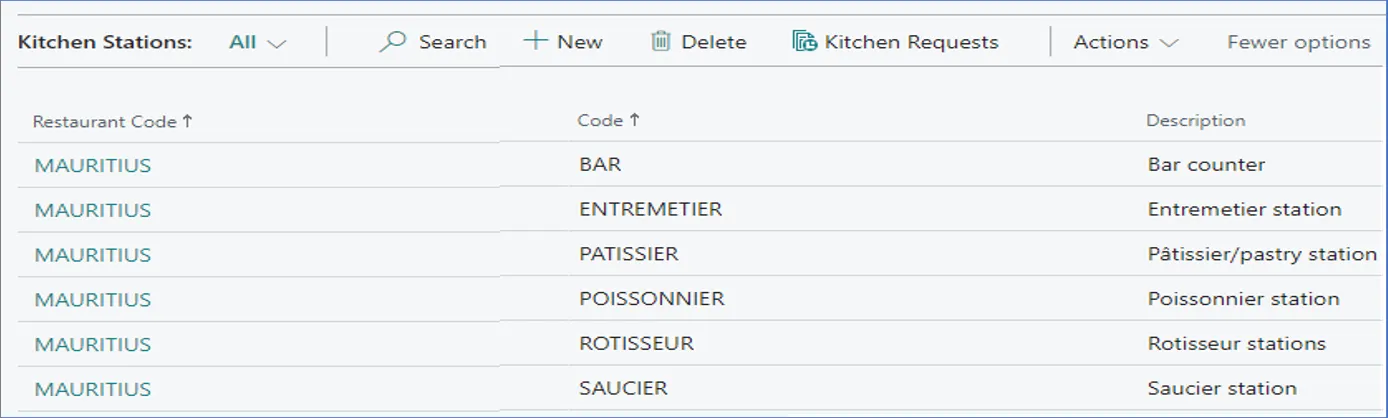
You can define how many kitchen stations are going to be in charge of preparing meals/drinks for a restaurant in the **Kitchen Stations** administrative section. There can be at least two kitchen stations in the system.
## Kitchen Station Selection Setup
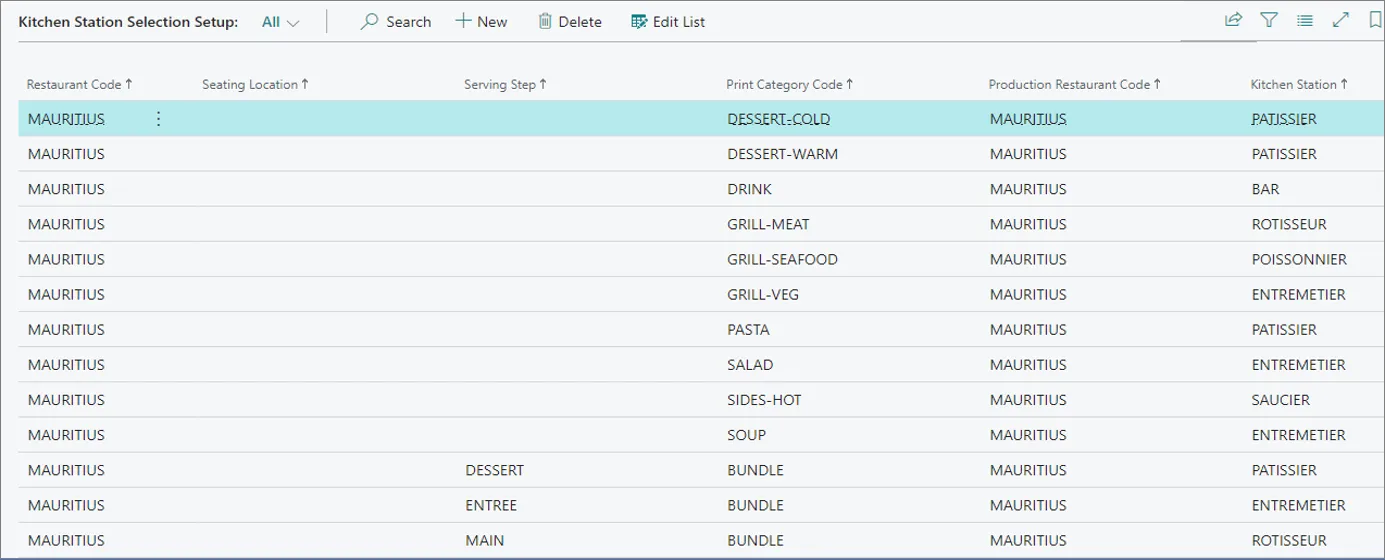
In this section, you can select in which kitchen station a certain **Print Category Code** (type of menu/food) is being prepared.
#### See also
* [Listings](/product/hospitality-listings)
* [Seating](/product/hospitality-seating-layout)
* [Grouping](/product/hospitality-seating-grouping)