> This page is for Product Documentation.
> For clean Markdown of any page, append .md to the page URL.
> For a complete documentation index, see https://docs.navipartner.com/llms.txt.
> For AI client integration (Claude Code, Cursor, etc.), connect to the MCP server at https://docs.navipartner.com/_mcp/server.
# Navigation and reports
> All points for customers can be followed from the Membership Card. Learn more in this article.
All points for customers can be followed from the **Membership Card**. In the **Points** tab of the **Membership Card** you can see the awarded points (sale and refund), redeemed points, expired points, and remaining points:
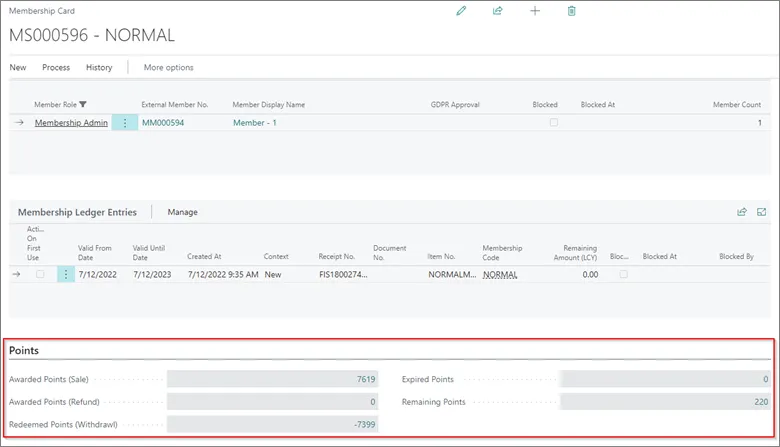
If there is need for more details, all these fields are flow fields, and with a drop it is possible to see all membership point entries from which these points are created.
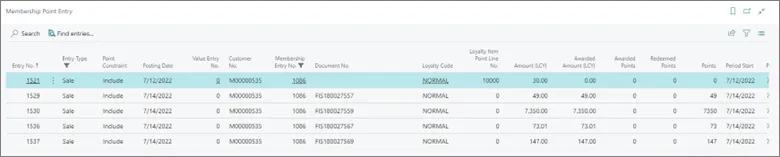
For example, if we drop in **Awarded Points (Sales)** – 7619, we will see the following entries:
There are three reports created in NP Retail for tracking points:
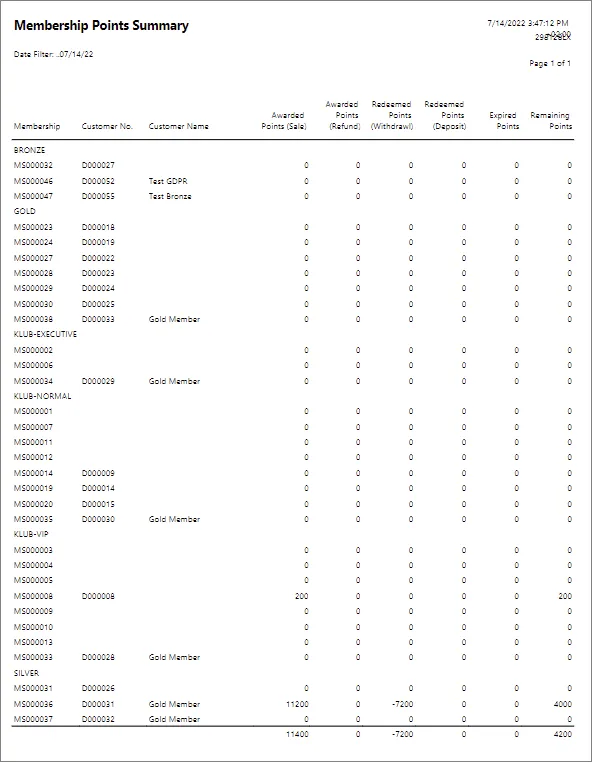
* **Membership Points Summary** – this report should be used to show points by a membership/customer number. In this report you can see the awarded, redeemed, expired, and remaining points:
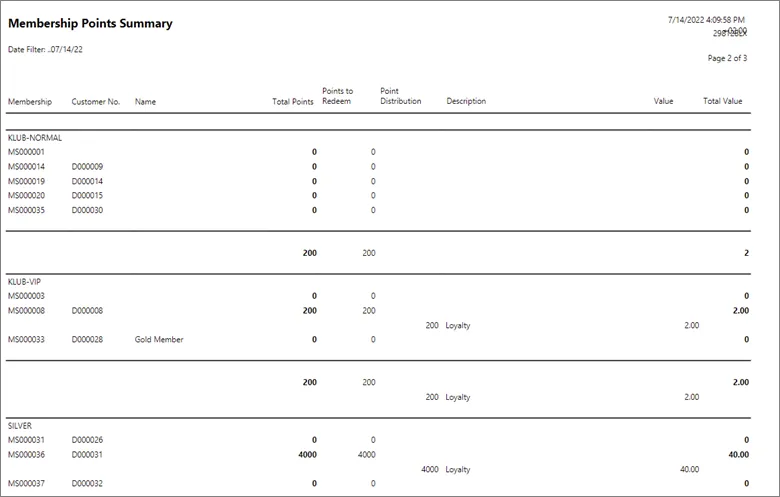
* **Membership Points Value** – this report is used for checking the value of points available per a customer/membership number.
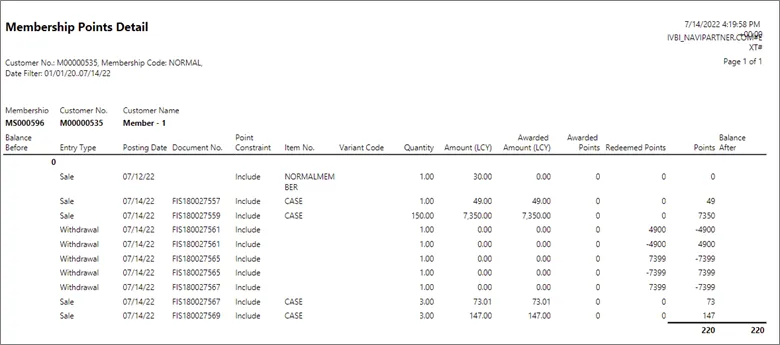
* **Membership Points Detail** – this report is used if you need to see all point movements per a member.
#### See also
* [Set up the loyalty program](/product/shipping-labels-shipmondo-setup)
* [Redeem\_points on sale](/product/Attraction-loyalty-redeem-points)
* [Assign points on sale](/product/Attraction-loyalty-assign-points)
* [Navigation and reports](/product/Attraction-loyalty-navigation-reports)